A shopper is one question away from buying. Will this ship in time? Can I return it? Does it fit? If they cannot find the answer in a few seconds, one of two things happens: they email your support inbox, or they leave. A good FAQ page catches both. It answers the question on the spot, removes the last bit of doubt before checkout, and quietly saves your team from the same ten emails a day.
Below are 9 FAQ page examples worth copying, grouped by the approach they use, plus what makes each one work and how to build your own on Shopify. Most of the FAQ examples you find online are streaming apps and enterprise help centers. These are focused on ecommerce, because a store's FAQ page has a different job: it has to sell, not just support.
What is an FAQ page?
An FAQ page, short for frequently asked questions, is a page that answers the common questions customers have about your products, shipping, returns, and policies, usually as a list of question-and-answer pairs. It works as self-service: the shopper finds the answer themselves instead of contacting you, which is what most people prefer to do anyway.
For an ecommerce store, the FAQ page does double duty. It reduces support load, and it removes the friction that stops a sale. Done well, it is one of the highest-return pages you can build.
Why your Shopify store needs a great FAQ page
An FAQ page is not a formality. It pays for itself three ways.
It cuts support tickets. Every question answered on the page is an email your team does not have to write. That frees up hours and speeds up the customers who do need a human.
It removes purchase anxiety. Shipping times, return windows, sizing, materials, and guarantees are the exact worries that stall a checkout. Answer them where the shopper feels them and you recover sales you would have lost. This is the same reason a strong product page works: it closes doubt before it becomes a bounce.
It brings in organic traffic. FAQ pages target real questions people type into Google, and with FAQ schema they can win rich results and feed AI answers. They also link naturally to your product and policy pages, which helps the rest of your store rank.
It helps you show up in AI search. Answer engines like Google's AI Overviews, ChatGPT, and Perplexity pull from clear, well-structured question-and-answer content, which is exactly what an FAQ page is. Concise answers marked up with FAQ schema are easy for these engines to read, lift, and cite. Optimizing for them, sometimes called answer engine optimization (AEO), is quickly becoming as important as ranking in the classic blue links, and a good FAQ page is one of the simplest ways to start competing for it.
What makes a great FAQ page
Before the examples, here is the checklist they share. Keep it next to you when you build yours.
Real questions, not the ones you wish people asked. Pull them from your support inbox, live chat, and Search Console. If nobody asks it or searches it, it does not earn a slot.
Short answers. Two to three sentences, around 100 words maximum. If an answer needs 400 words, it is a guide, so link to the guide and keep the FAQ tight.
Accordion layout. Expandable questions keep the page scannable instead of a wall of text. The shopper opens only what they need.
Categories. Group questions into Shipping, Returns, Product, and Payment once you have more than a handful. It cuts the time to an answer.
Search, once you pass about 15 questions. Below that, categories are enough. Above it, a search box saves the visitor from scrolling.
Your brand voice. The FAQ is still your store talking. Write it like a helpful human, not a terms-of-service document.
A way out to a human. End with a clear link to contact support for the questions the page does not cover.
Contextual placement, including on the product page. Link the full FAQ page from your footer and checkout, and add an FAQ section directly on your product pages (the PDP) so the most relevant questions sit right next to the buy button. Answering doubts in context, where the decision actually happens, is one of the highest-impact placements you can make.
9 FAQ page examples that convert
The categorized help hub
1. Allbirds. Allbirds sorts its help center into clear buckets (orders, shipping, returns, product care) so a shopper lands on the right group in one click. For a store with a wide catalog and a lot of policy questions, categorization is what keeps the page usable. It reads like a tidy directory, not a data dump.
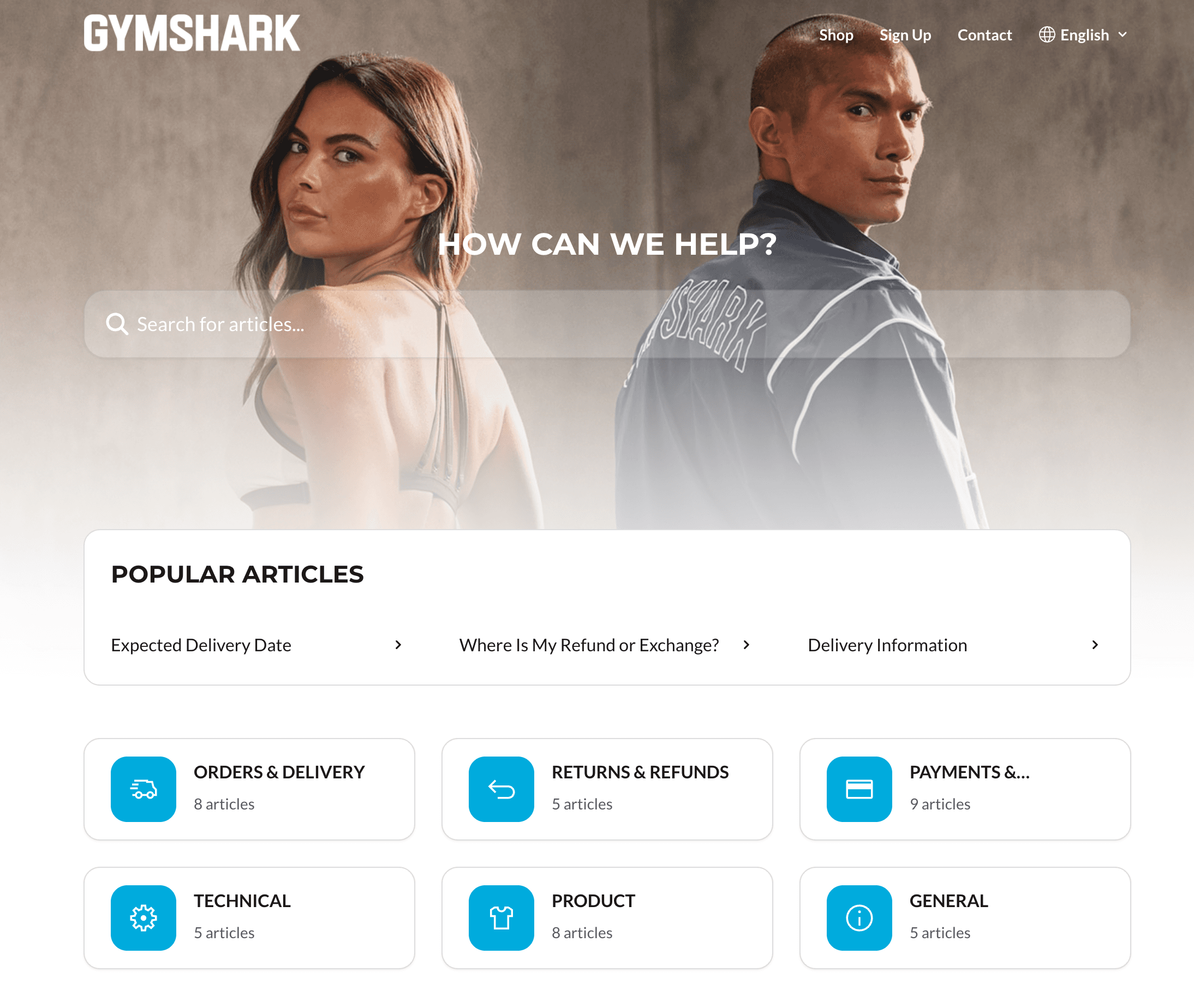
2. Gymshark. Gymshark pairs categories with a prominent search bar, the right move once your FAQ passes a dozen or so questions. A shopper can browse by topic or type their exact question and jump straight to it. The result feels fast, which is the whole point of self-service.
The accordion done right
3. Ridge. Ridge uses a clean accordion so its FAQ answers warranty, materials, and shipping questions without burying the page in text. Each question expands to a short, specific answer. It is the simplest pattern to build and the easiest for shoppers to scan on a phone, where most of them are.
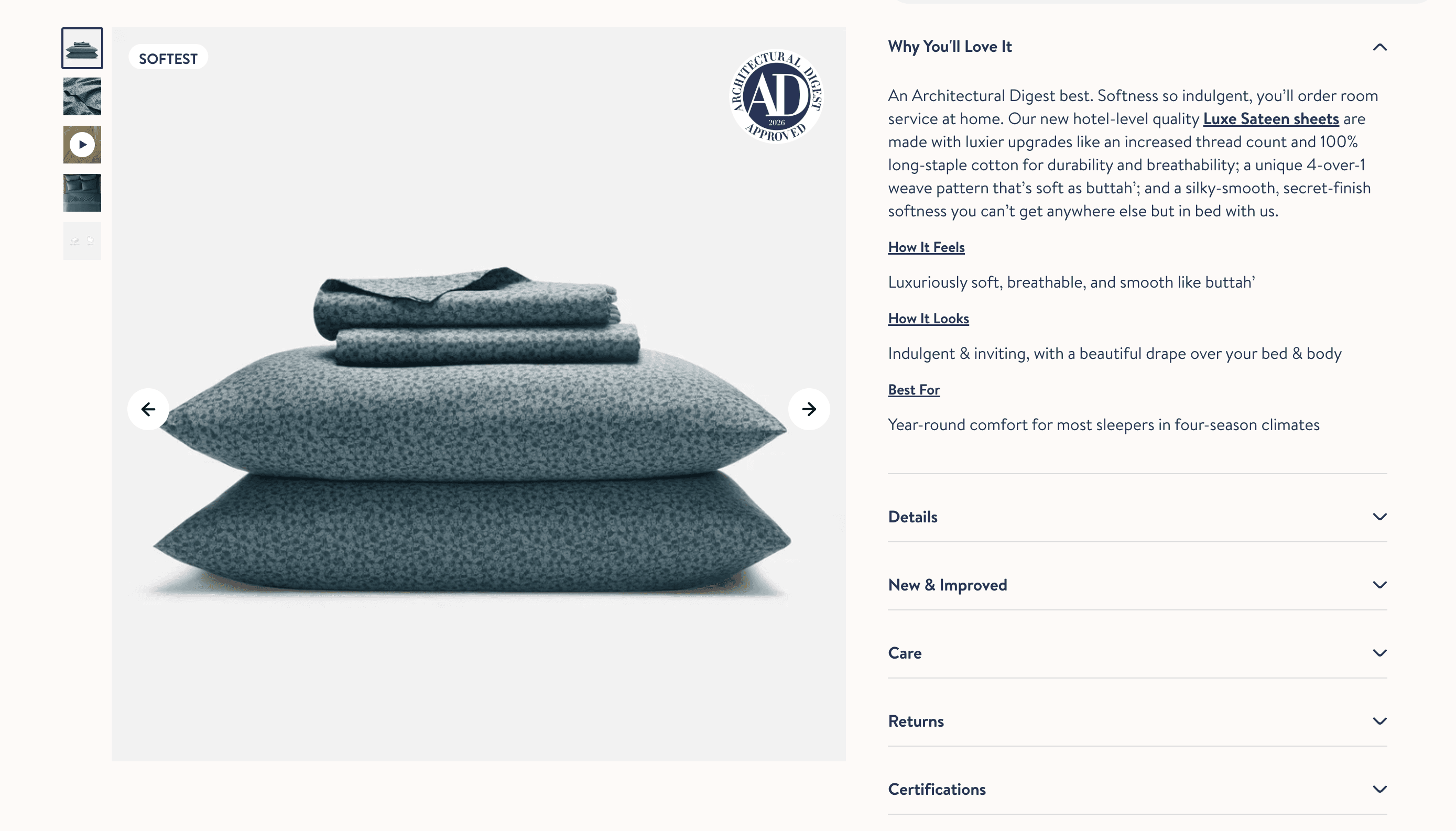
4. Brooklinen. Brooklinen groups accordion questions by theme and keeps answers concise, then links out to deeper guides for anything that needs more room. That balance, short answers on the page and detail a click away, is the pattern most ecommerce stores should copy.
The on-brand personality FAQ
5. Death Wish Coffee. Death Wish writes its FAQ in the same bold voice as the rest of the brand, so even a question about shipping feels on-brand. It is a reminder that the FAQ is not a legal page. Writing it like a human builds more trust than a stiff, corporate tone ever will.
6. Glossier. Glossier keeps its help content friendly and plain-spoken, matching the brand's approachable feel. The answers are calm and clear, which suits a beauty audience making careful choices. Voice is a feature here, not decoration.
The conversion-focused product FAQ
7. Olipop. Olipop answers ingredient, health, and taste questions right on the product page, exactly where the doubt lives. Placing the most relevant few questions in context, instead of only on a separate page, catches shoppers at the moment of hesitation. This is FAQ as a conversion tool, not just support. With Instant, you can add this kind of FAQ section to any product page in a few clicks, no code required.
8. Bombas. Bombas leads its FAQ with the questions that actually decide an ecommerce sale: shipping speed, returns, and its donation model. By answering the deal-breakers first, it clears objections before they turn into an abandoned cart. Order your questions by what blocks the purchase, not alphabetically.
The searchable knowledge base
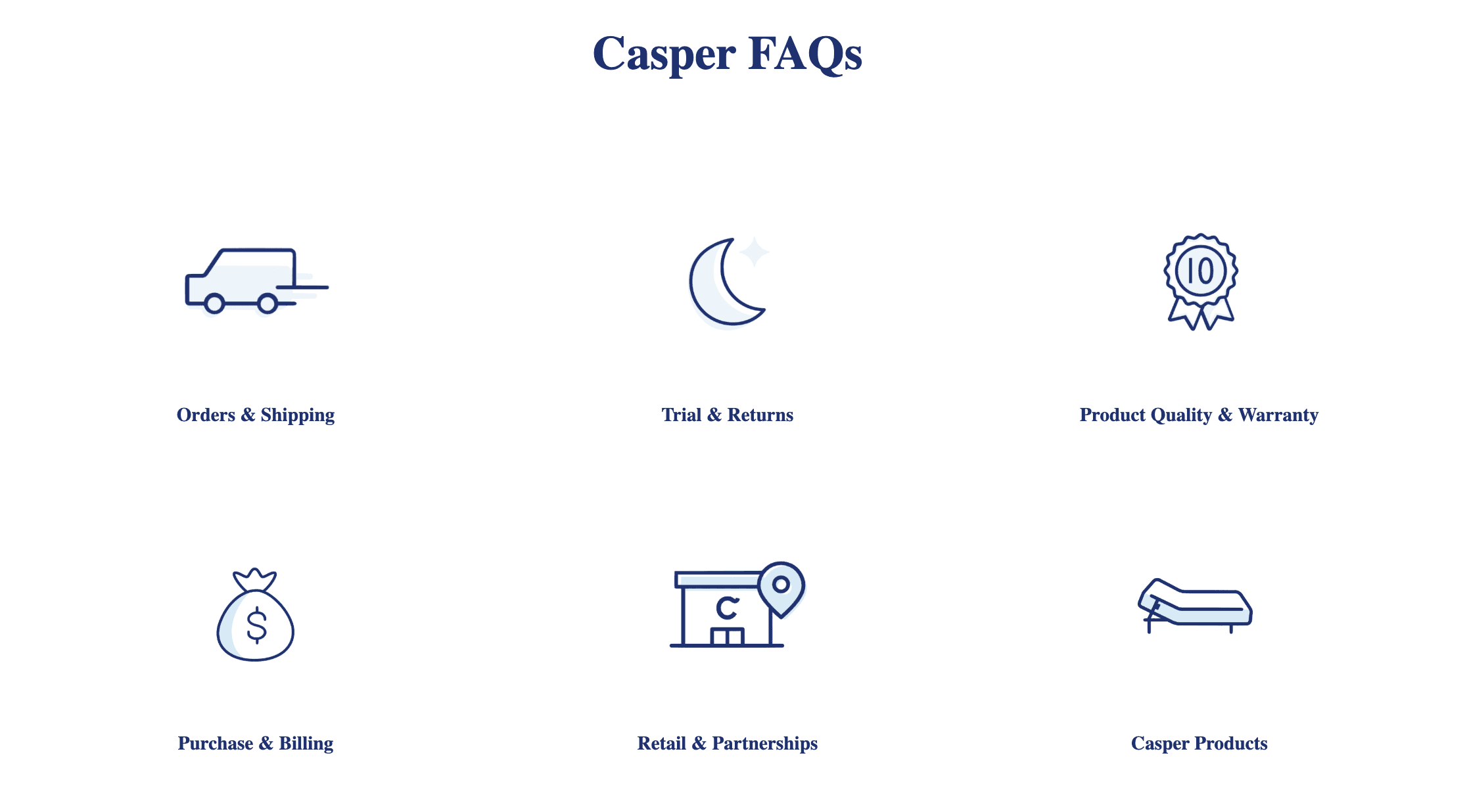
9. Casper. Casper runs a searchable, categorized help center built for a considered, higher-price purchase, where buyers have a lot of questions before committing. Search plus clear categories plus detailed answers is the right setup when the product needs real explaining. Match the depth of the FAQ to the size of the decision.
The thread across all 9: they answer real questions, fast, in the brand's voice, placed where the shopper needs them. None of it is complicated. It is disciplined.
FAQ page vs help center: what's the difference?
An FAQ page gives quick answers to your most common questions on a single, scannable page. A help center is bigger: a searchable library of guides, tutorials, and troubleshooting articles for deeper problems. FAQs are about speed and simplicity; help centers are about depth. Most small and mid-size Shopify stores need a strong FAQ page first, and only grow into a full help center when the volume and complexity demand it.
How to build an FAQ page on Shopify
You do not need a developer or a support platform to start. You need a clear, fast page that answers real questions. Here is the build.
Collect the real questions. Mine your support inbox, live chat logs, and Search Console for what customers actually ask. Aim for 10 to 20 to start.
Write short, specific answers. Two to three sentences each. Link out to a full guide for anything longer.
Group them into categories. Shipping, Returns, Product, Payment. It makes the page usable the moment it grows.
Use an accordion layout. Expandable questions keep the page clean and mobile-friendly.
Add it where it counts. Publish the full FAQ page, link it from the footer and checkout, and drop the most relevant questions onto your product pages and near your cart.
Add FAQ schema. Marking up your questions and answers makes the page eligible for rich results in Google, which lifts visibility.
Keep it fresh. Review it every quarter and add the new questions your support team keeps hearing.
This is where the tool you build with matters, and it is the easiest part of the whole process. You can build your entire FAQ page with Instant, or add an accordion FAQ section to any existing page, with drag-and-drop and no code. You get clean, expandable sections, full control over categories and design, and, importantly, the ability to drop an FAQ section straight onto your product pages (the PDP), where it answers objections at the point of sale and lifts conversion. Practical AI can draft and tighten the answers and write your page title and meta description, so the page ships optimized instead of half-finished. And because Instant publishes native Shopify pages, your FAQ loads fast and adds no bloat to your store, which protects both conversions and rankings.
If you are still setting up the basics, our guides on how to add a page on Shopify and building a trust-building About Us page pair naturally with this one.
Common FAQ page mistakes to avoid
Writing questions no one asks. An FAQ full of softball marketing questions helps no one. Use real customer language.
Answers that ramble. Long answers defeat the purpose. Keep them short and link out for depth.
No categories or search on a long page. A 40-question wall with no structure is worse than no FAQ at all.
Letting it go stale. An FAQ that still lists last year's shipping times erodes the trust it was meant to build.
Hiding it. If shoppers cannot find the FAQ from the footer, product page, and checkout, it cannot do its job.
A great FAQ page is one of the cheapest upgrades you can make to your store. It answers the questions that stall a sale, cuts your support load, and pulls in organic traffic, all from one page. Collect the real questions, answer them short and in your brand voice, group them, place them where doubt appears, and mark them up for search.
If you would rather build your FAQ page in an afternoon than wrestle with your theme, build it with Instant for free: drag-and-drop accordion sections, FAQs on any page, and native pages that stay fast.