AI product photography with models: The future of fashion e-commerce
This guide explores why and how fashion brands are implementing AI product photography with AI models for their online stores and marketing campaigns.
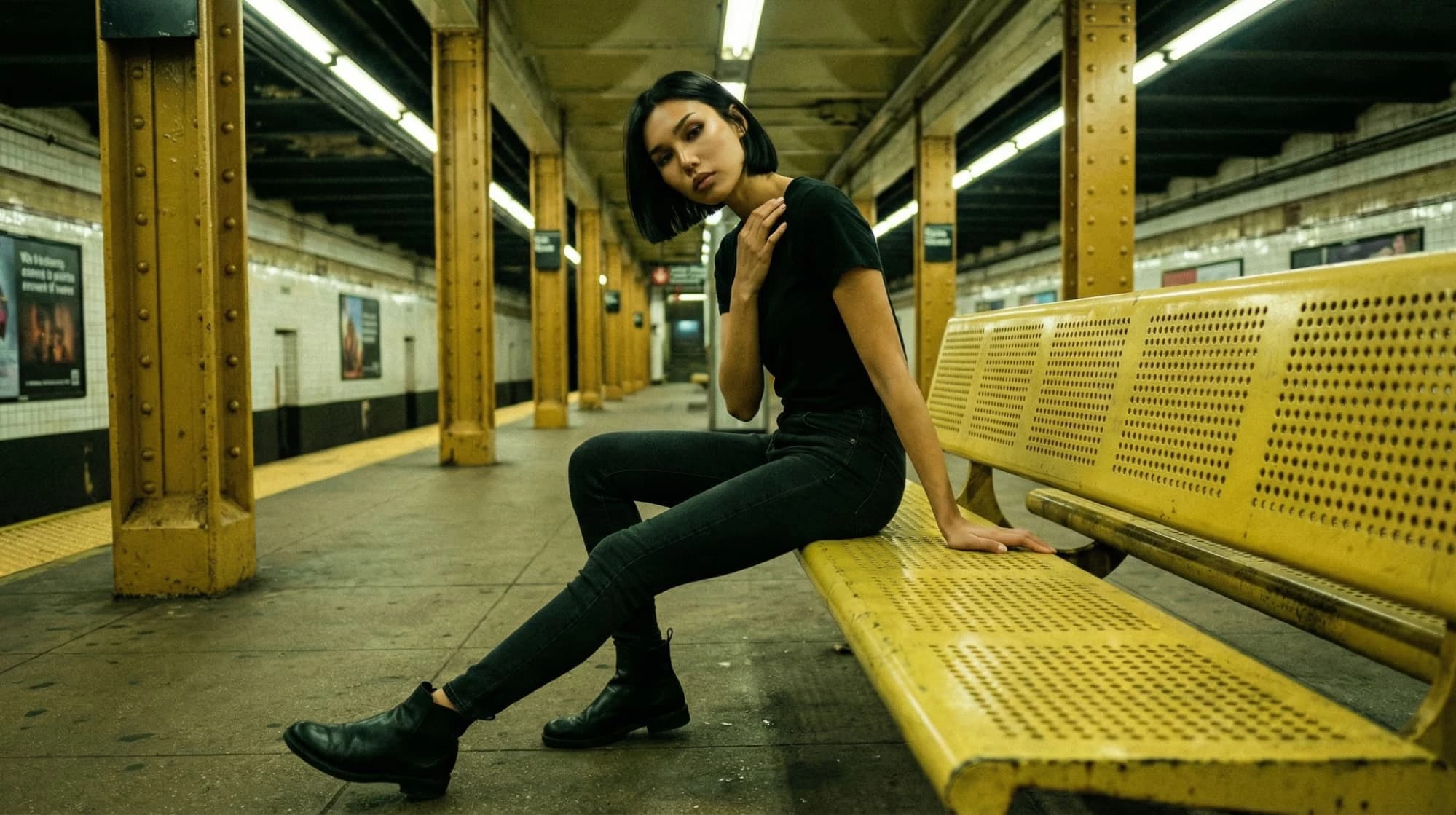
The model photoshoot used to be the most expensive part of launching a fashion collection. Book models ($500-$2,000 per day), hire hair and makeup artists ($200-$500), rent a studio, coordinate schedules, manage wardrobe, and hope you got enough usable shots.
For small fashion brands, this model doesn't scale.
Want to show your new dress on different body types? Another $2,000. Need models representing diverse ethnicities? More casting calls, more money. Want seasonal variations? Wait three months and pay for another shoot.
Then AI changed everything.
In 2026, AI model generation has fundamentally transformed fashion eCommerce. What used to require casting calls, makeup artists, and expensive photoshoots now happens in minutes, with AI-generated models that are indistinguishable from real photography.
But this technology raises important questions: Is it ethical? Will customers trust it? How realistic does it look? And most importantly, should your fashion brand use it?
This guide explores the revolution of AI product photography with models, addresses the ethical considerations honestly, and shows you exactly how this technology is reshaping fashion eCommerce.
What is AI model product photography?
AI model product photography uses artificial intelligence to generate realistic human models wearing your products without ever photographing an actual person.
How it works
To use AI product photography, follow these steps:
- Upload your product photo: A simple flat lay or mannequin shot
- Choose or create an AI model: Select body type, ethnicity, age, pose, hair, makeup
- AI generates the image: Your product appears on a photorealistic model
- Refine and export: Adjust fit, pose, lighting, and download
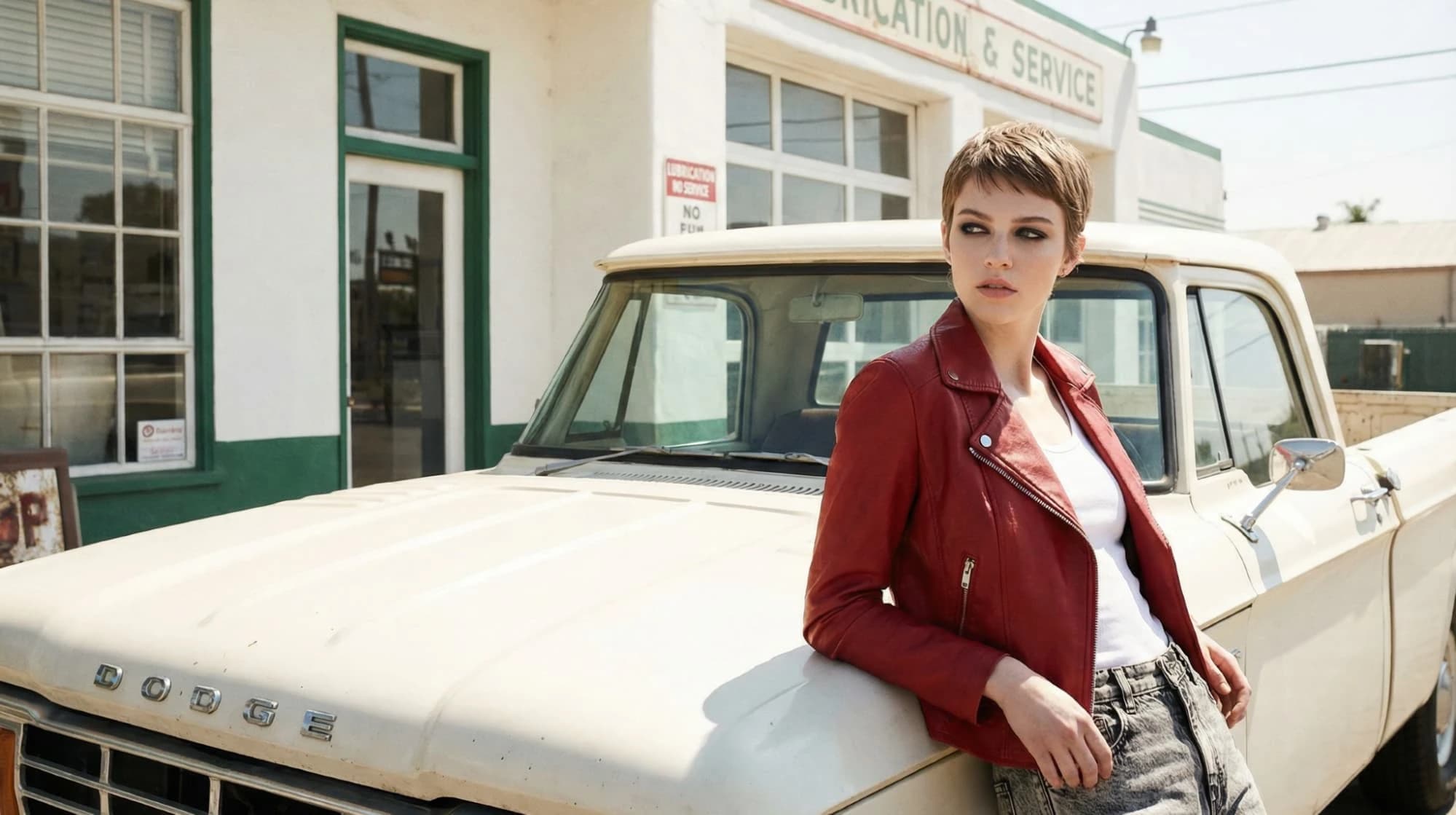
The result is professional model photography that rivals traditional photoshoots in minutes instead of weeks, and at a fraction of the cost. Like this photo, created in Instant Studio with a custom AI avatar:
What makes AI models different from traditional photography
To understand if AI product photos can work for your brand, first consider how it differs from traditional photography.
Traditional model photography:
- Requires booking real models weeks in advance
- Limited to models available in your area/budget
- Hair, makeup, and styling add significant costs
- One photoshoot = one set of images
- Reshoots require rebooking everyone and starting over
- Cost: $2,000-$10,000+ per session
AI model photography for fashion:
- Generate models instantly, any time
- Create unlimited model variations (body types, ethnicities, ages)
- Customize everything digitally (hair, makeup, styling)
- Infinite variations from one product photo
- "Reshoots" are regenerating with different settings
- Cost: Credits per image (often under $1 per photo)
The technology behind AI models
AI model generation uses advanced generative AI trained on millions of fashion photographs. The AI learns:
- How fabric drapes on different body types
- How garments fit various body shapes
- Realistic skin tones, textures, and lighting
- Natural poses and body language
- How clothing moves and falls
This results in AI-generated models that look like they walked off a professional photoshoot set, because the AI learned from thousands of real photoshoots.
Why fashion brands are adopting AI model photography
The adoption isn't just about saving money (though that's significant). AI model photography solves critical business challenges that traditional photography can't.
1. Representation at scale
According to research, customers are more likely to purchase when they see models who look like them. But representing all your customers through traditional photography is prohibitively expensive.
The traditional approach: To show one product on models representing diverse demographics, you'd need:
- Different body types (petite, plus-size, tall, athletic): 4-5 models
- Various ethnicities: Additional 3-4 models
- Different ages (20s, 30s, 40s+): Another 2-3 models
Cost for one product shown on 8-10 models: $5,000-$15,000+
The AI approach: Generate the same product on 10 different AI models in an hour.
Cost: ~$10-50 depending on platform
This means small brands can finally offer the inclusive representation previously only affordable to major retailers.
2. Speed to market
Fashion moves fast. Trends change, seasons shift, and timing matters.
Traditional photography timeline:
- Cast and book models (1-2 weeks)
- Schedule photoshoot (2-4 weeks out)
- Conduct shoot (1 day)
- Photo editing and retouching (1-2 weeks)
- Total: 6-8 weeks minimum
AI model photography timeline:
- Upload product photo
- Select AI models
- Generate images
- Total: 1-2 hours
Now, a fashion brand can photograph their new collection on Saturday, generate AI model shots on Sunday, and launch on Monday, capturing trend momentum before it passes.
3. Unlimited testing and variations
Which converts better: a model in a casual pose or an editorial stance? Smiling or serious? Beach background or studio? With traditional photography, testing costs thousands per variation.
With AI model photography:
- Test 5 different poses in 10 minutes
- Try 3 different backgrounds
- Show styled vs. casual
- Generate seasonal variations
All from one product photo.
This enables data-driven decisions about which imagery converts best, something previously affordable only to major brands with huge marketing budgets.
4. Consistent brand aesthetic
Traditional photoshoots vary. Different photographers, different days, different lighting - all create inconsistencies across your product catalog.
AI models offer consistency:
- Same lighting across all product images
- Consistent styling and aesthetic
- Matching color grading and mood
- Uniform quality and professionalism
Now, your entire catalog feels cohesive and professional, like you shot everything in one perfect session.
5. Cost savings that actually matter
Let's do the math for a small fashion brand launching 20 new items quarterly:
Traditional approach:
- Model photoshoot: $2,500 (1 model, 1 day, 20 products)
- Hair & makeup: $400
- Studio rental: $300
- Photography & editing: $800
- Total per quarter: $4,000
- Annual cost: $16,000
Want diversity? Add:
- 3 additional models: +$7,500
- Additional shoot days: +$1,200
- New annual cost: $33,000+
AI model approach:
- 20 products × 4 model variations × 3 poses = 240 images
- Cost per image: ~$0.50-2 depending on platform
- Total quarterly cost: $120-480
- Annual cost: $480-1,920
Savings: $14,000-32,000 per year
For small brands, that's the difference between profitable and struggling.
How AI tools change clothes on models (the technology explained)
One of the most impressive capabilities is how AI changes clothes on models, taking a product photo and realistically placing it on an AI-generated body.
The technical process
Step 1: Product understanding. The AI analyzes your product photo and gains information from your prompt on:
- The garment type (dress, t-shirt, pants, shoes, etc)
- Fabric properies (flow, drape, textrue)
- Colors, patterns, details
- How the garmet should fit
Step 2: Body generation. The AI generates a photorealistic human body:
- Creates anatomically accurate proportions
- Matches the body type you've prompted
- Generates realistic skin tones and textures
- Positions body in the selected pose
Step 3: Garment mapping. The AI maps your garment onto the body:
- Wraps fabric around the 3D body form
- Simulates how fabric drapes on that specific body type
- Adjusts for the pose (stretching, folding, movement)
- Maintains patterns and details accurately
Step 4: Realistic integration. The AI adds finishing touches:
- Generates realistic shadows and lighting
- Creates appropriate fabric folds and wrinkles
- Adds shading where fabric overlaps
- Ensures colors match your product exactly
Step 5: Scene composition with AI background generation. Finally, the AI composes the complete image:
- Adds background (studio, lifestyle, or custom scene)
- Ensures lighting matches across the model and the background
- Applies final color grading and polish
In most editors, you can continue prompting and editing until you are satisfied with the result.
Why this is difficult (and impressive)
Making AI-generated models look realistic requires solving complex problems:
- Fabric behavior: Different fabrics behave differently. Silk drapes differently than denim. Cotton wrinkles differently from polyester. The AI must understand material physics to create realistic results.
- Body diversity: Clothing fits differently on different body types. A dress on a petite frame looks completely different from one on a plus-size model. The AI must accurately simulate these differences.
- Natural movement: Real bodies aren't stiff. Arms bend, hips shift, fabric pulls and stretches. The AI must create natural-looking poses where garments react realistically to body movement.
- Detail preservation: Your product's specific details (buttons, zippers, patterns, logos) must remain accurate and clear, even as the AI transforms the image.
Modern AI models like Instant Studio have largely solved these challenges. The results are often indistinguishable from traditional photography.
The ethical considerations: Addressing the concerns
AI model photography isn't without concerns; let's address some of the common questions.
Concern 1: "Is it misleading to customers?"
The worry: Customers might feel deceived if they think they're looking at real models but are actually AI-generated.
The reality:
- Customers care whether the product looks like the image when it arrives
- What matters is accurate product representation, not how the photo was created
- Many major brands already use composite images (different shots combined in Photoshop), this is the digital evolution
Best practice:
- Ensure AI images accurately represent your product
- If asked, be transparent about your photography methods
- Some brands add "Images enhanced with AI" in the footer (optional)
The key question: Does the product look like this when customers receive it? If yes, you're being honest regardless of the photography method.
Concern 2: "What about real models' livelihoods?"
The worry: AI models replace human models, eliminating jobs.
The nuanced reality:
Who AI impacts most:
- Stock photography models
- Models for e-commerce catalog shoots
- High-volume commercial work
Who AI creates opportunities for:
- Fashion brands that couldn't afford model photography before
- Creative professionals who learn to use AI tools
The market shift: AI is reshaping, not eliminating, the modeling industry.
What's happening in practice:
- Major brands still use human models for campaigns and brand storytelling
- AI is replacing the expensive, repetitive catalog work
- Some models are licensing their likeness to AI platforms (new revenue stream)
- Editorial and high-fashion modeling remains human-driven
Ethical consideration for brands: Use AI for volume (catalog images, variations, testing) and support human models for brand campaigns and emotional storytelling. The hybrid approach respects both technology and artistry.
Concern 3: "Can AI accurately represent different body types?"
The worry: AI might perpetuate unrealistic beauty standards or inaccurately represent how clothes fit different bodies.
The reality in 2026: Modern AI can generate diverse, realistic body types, but it requires intentional effort from brands.
What's possible with tools like Instant Studio:
- Accurate plus-size representation (not just scaled-up thin models)
- Realistic body proportions across sizes
- Diverse ages (not just 20-year-olds)
- Natural body variations (not airbrushed perfection)
The responsibility: Brands must choose to create diverse AI models. The technology enables it, but brands must commit to it.
Best practice:
- Generate models across your actual size range
- Show realistic body proportions for each size
- Include models of various ages, not just young
- Avoid over-editing or "perfecting" AI images
The opportunity: AI makes inclusive representation affordable for small brands. Previously, only major retailers could afford to shoot across all sizes and demographics. Now, any brand can.
Concern 4: "Does AI perpetuate bias?"
The worry: AI trained on biased data might generate biased results (favoring certain body types, ethnicities, or beauty standards).
The legitimate concern: Early AI models exhibited bias because they were trained primarily on professional fashion photography, which has historically lacked diversity.
Progress in 2026: Modern AI models are trained on diverse datasets and allow explicit control over:
- Ethnicity and skin tone
- Body type and shape
- Age and features
- Styling and presentation
With tools like Instant Studio:
- Choose from dozens of pre-made, diverse avatars
- Build custom avatars with specific features
- Control body type, age, and ethnicity explicitly
- Avoid algorithmic bias by making conscious choices
The brand's role: The AI doesn't decide representation, you do. Choose diverse models intentionally.
Concern 5:"What if the quality isn't good enough?"
The worry: AI-generated images might look fake, cheap, or obviously computer-generated.
The 2026 reality: High-quality AI model photography is virtually indistinguishable from traditional photography when done well.
What affects quality:
- Quality of source product photo (better input = better output)
- AI platform chosen (some are far better than others)
- Settings and refinements applied
- Realistic choices (appropriate poses, lighting, styling)
Quality control checklist: Before using any AI model image, check:
- Does fabric drape naturally?
- Are proportions realistic?
- Is lighting consistent and natural?
- Do shadows fall correctly?
- Are hands/fingers rendered properly? (AI's traditional weak spot)
- Does the garment fit the body type realistically?
If any of these fail: Regenerate with different settings or use traditional photography for that product.
The honest answer: AI model photography in 2026 is excellent, but not perfect for everything. Use it where it excels (catalog shots, variations, testing) and use traditional photography where human nuance matters (hero campaigns, emotional storytelling).
How to use AI model photography effectively
If you're convinced AI model photography has a place in your fashion business, here's how to use it strategically.
Step 1: Start with good product photos
AI can't fix a bad source image. Start with:
- Good lighting: Natural window light or basic photography lighting
- Clean background: Solid color or easily removable
- Product fully visible: No cut-off edges or hidden details
- High resolution: At least 2000px on the longest side
- Proper orientation: Garment positioned as it would be worn
Pro tip: A simple flat lay with good lighting works great. You don't need professional photography, just clear, well-lit product shots.
Step 2: Choose or create your AI models
With Instant Studio's AI Avatar feature, you have two options:
Option A: Use Pre-Made Avatars
- Browse dozens of diverse pre-made AI models
- Quick start, just select and generate
- Perfect for testing or starting out
Option B: Build Custom Avatars
- Create AI models that perfectly match your brand aesthetic
- Customize body type, age, ethnicity, features
- Adjust hair, makeup, and styling
- Control pose and expression
Step 3: Generate multiple variations
Don't create just one image per product. Test different AI image prompts to see what you can create.
Generate variations for testing:
Pose variations:
- Frontal (shows garment clearly)
- Angled (shows dimension and movement)
- Detail focus (highlights specific features)
Styling variations:
- Casual (everyday wear)
- Styled (accessorized, elevated)
- Seasonal (context-appropriate)
Model variations:
- Different body types
- Various ethnicities
- Multiple age ranges
Why this matters: You won't know what converts best until you test. AI makes testing affordable.
Step 4: Maintain consistency
Create a style guide for your AI model photography:
Define:
- Lighting style (bright and airy vs. moody and dramatic)
- Background aesthetic (studio white, lifestyle scenes, outdoor)
- Pose types (editorial, casual, approachable)
- Model diversity ratios (what % of each body type, ethnicity, age)
- Color grading and mood
Consistency creates brand recognition. When customers see your AI model photography across platforms, it should feel cohesive.
Step 5: Combine AI with traditional photography
The hybrid approach works best:
Use AI for:
- Catalog images (most of your product page)
- Size and color variations
- A/B testing different presentations
- Seasonal variations
- Quick launches
Use traditional photography for:
- Hero brand images (homepage, major campaigns)
- Lookbook editorial content
- Brand storytelling
- Behind-the-scenes content
- Emotional connection pieces
Step 6: Test and optimize
Track which AI model imagery converts best:
Metrics to measure:
- Conversion rate by product page
- Time on page (engagement)
- Add-to-cart rate
- Bounce rate
- Customer questions/confusion
A/B testing ideas:
- AI models vs. flat lays
- Different AI model demographics
- Various poses and styling
- Studio vs. lifestyle backgrounds
Let data guide decisions, not assumptions about what "should" work.
Instant Studio's AI avatar feature: The complete solution
Instant Studio was built specifically for eCommerce fashion brands needing AI model photography. Here's what makes it different:
Two creation modes in one platform
1. Packshots: Create professional product backgrounds and lifestyle scenes
- Pre-made background templates
- Generate custom scenes
- Perfect for non-apparel or styled product shots
2. Lifestyle Photography witth AI Avatar Models: Generate photorealistic models wearing your products
- Dozens of diverse pre-made avatars
- Build custom avatars from scratch
- Full customization: body type, age, hair, makeup, pose
Why this matters: Other tools force you to choose - product backgrounds OR models. Instant Studio does both.
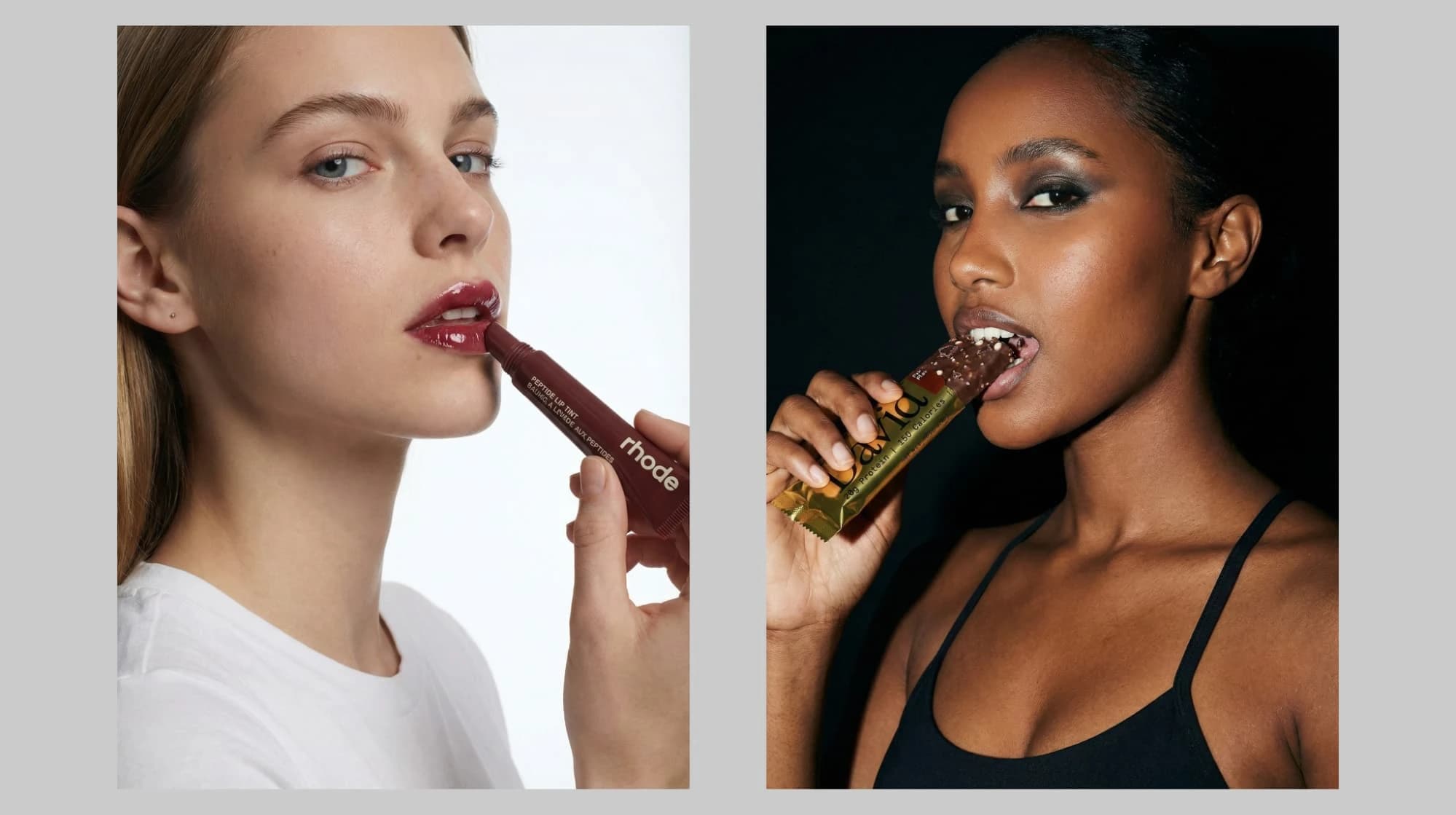
Full avatar customization
Adjust everything:
- Body type: Petite, athletic, curvy, plus-size, tall
- Age: 20s, 30s, 40s, 50s+
- Ethnicity: Diverse representation built-in
- Hair: Style, color, length
- Makeup: Natural, glam, editorial
- Pose: Standing, sitting, walking, editorial
- Expression: Smiling, serious, approachable
Direct Shopify integration
The workflow advantage:
- Create AI model images in Instant Studio
- Use them immediately in your Shopify store designs
- No downloading, re-uploading, or platform juggling
This seamless workflow means you'll actually use AI photography consistently. Plus, you can export any of your images for use across any of your other marketing channels as well!
Conclusion
AI model photography isn't replacing traditional fashion photography; it's democratizing it.
Small indie brands can now achieve the representation and professionalism that was previously affordable only to major retailers. Launch faster, test more, represent diverse customers, and save thousands, all while maintaining professional quality.
The technology is ready: Tools like Instant Studio have solved the quality and usability challenges. AI model photography in 2026 produces professional, realistic results that rival traditional photography.
Start creating AI model photography with Instant Studio today.