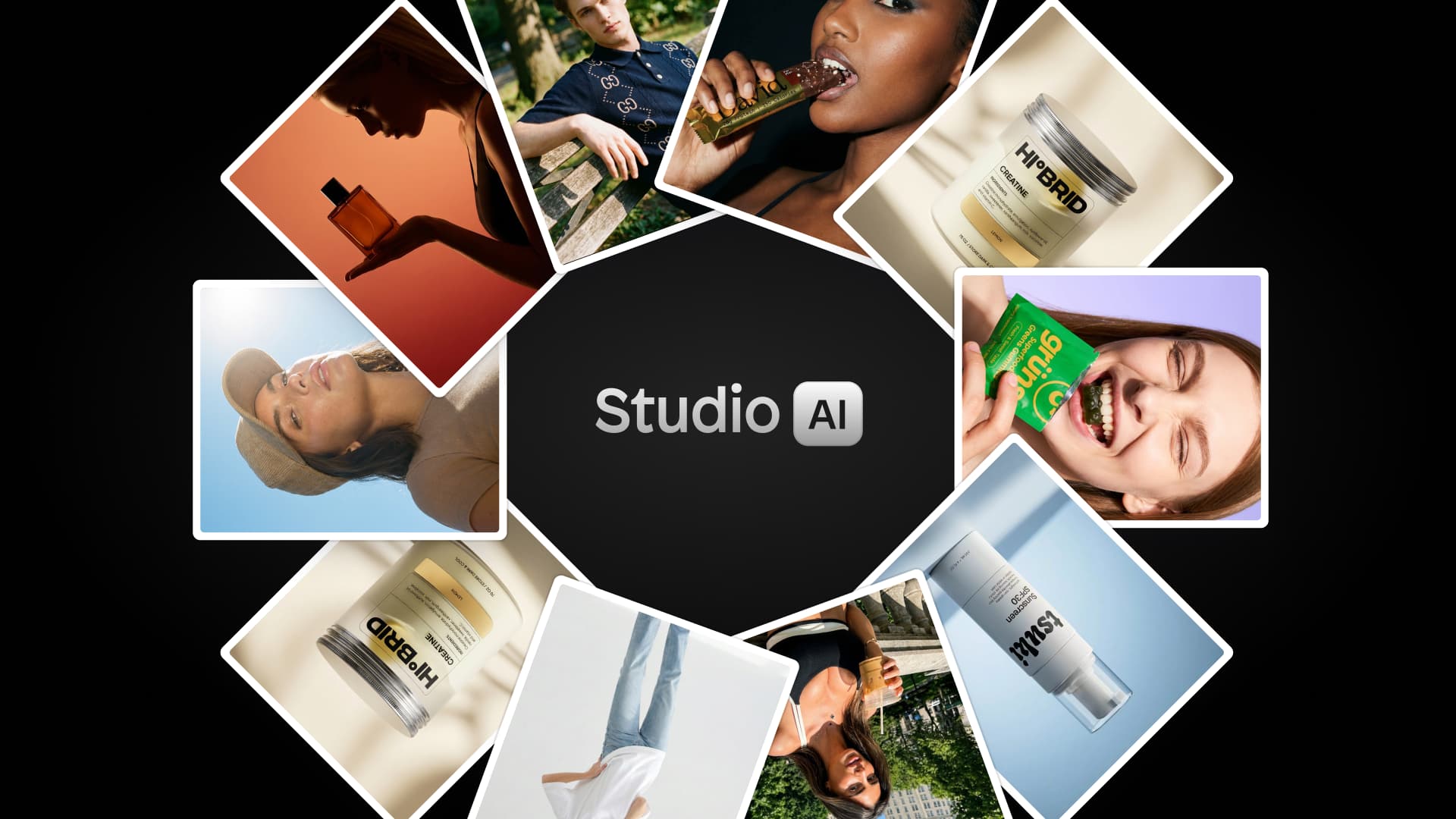
In 2026, AI has fundamentally changed how eCommerce businesses create product images. What used to cost thousands of dollars and take weeks now costs pennies and takes minutes. But with dozens of AI photography tools flooding the market, how do you choose the right one?
This comprehensive guide breaks down the best AI product photography tools for 2026, focusing specifically on solutions built for eCommerce use cases, not generic AI art generators.
What you'll learn:
The 7 best AI product photography tools and what makes each unique
Detailed feature comparisons, pricing, and real use cases
Which tool is right for your specific eCommerce needs
What to look for when choosing an AI photography platform
How to avoid tools that overpromise and underdeliver
Let's find the perfect AI product photography tool for your business.
What is AI product photography?
AI product photography is the process of using artificial intelligence to generate or enhance product images without a traditional photoshoot.
Instead of hiring photographers, renting studio space, and organizing models or props, AI tools can create professional product photos from a single image. The AI analyzes the product, removes the background, and generates new scenes, lighting, and environments that look like real photography.
For eCommerce brands, this means you can quickly create:
Professional packshot images with clean backgrounds
Lifestyle product images showing products in real-world settings
Fashion images featuring AI-generated models wearing your products
Marketing visuals for ads, email campaigns, and social media
Modern AI photography tools are trained on massive datasets of real photos, allowing them to recreate realistic lighting, shadows, and textures that were previously only possible in a studio.
For many online stores, AI now handles the majority of product photography needs, dramatically reducing the cost and time required to create high-quality visuals.
How AI product photography works
Most AI product photography tools follow a similar workflow. Instead of organizing a photoshoot, you generate images digitally in just a few steps.
Here’s how the process typically works:
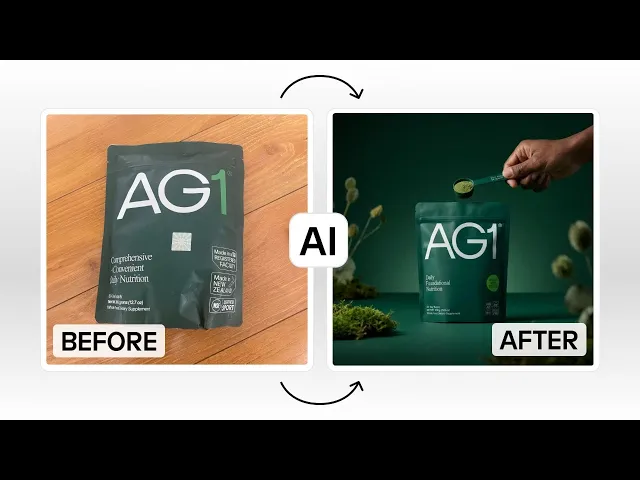
1. Upload your product image
You start by uploading a photo of your product. This could be a basic product shot taken on a phone or a simple studio image with a neutral background.
2. AI detects and isolates the product
The AI automatically identifies the product in the image and removes the background while preserving the shape, textures, and details.
3. Generate new backgrounds or scenes
Using text prompts, templates, or presets, the AI places your product into realistic environments such as:
Seasonal settings
4. Adjust lighting and composition
Many tools allow you to refine the image by adjusting lighting, shadows, camera angles, and color tones to make the image look more realistic.
5. Export images for your store or marketing channels
Once the image is generated, you can download it or export it directly to platforms like Shopify, social media, or ad campaigns.
This entire process usually takes seconds or minutes instead of days or weeks, making it possible to create dozens of product images from a single original photo.
The 7 best AI product photography tools for 2026
There has been an explosion in AI photography tool solutions in the last few years. To keep our recap of the best tools relevant, we focus on platforms that can be specifically used for eCommerce use cases.
1. Instant Studio (Editor's choice for Shopify sellers)
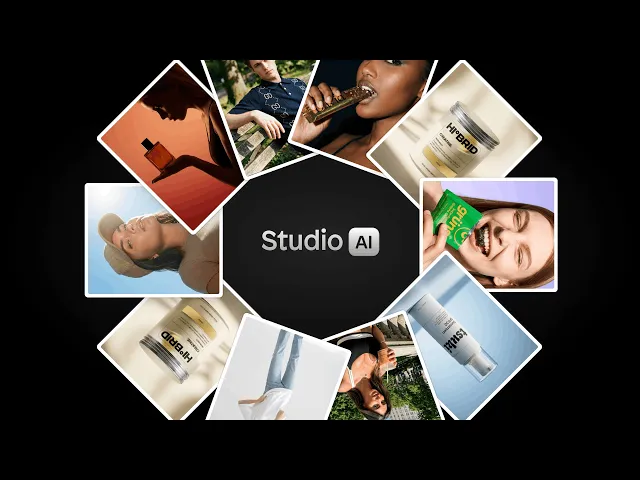
Best for: Shopify merchants and eCommerce brands
Instant Studio stands out as the only AI product photography tool built specifically for eCommerce sellers with direct Shopify integration. Unlike generic AI image generators, Instant Studio offers two specialized creation modes: packshots for professional product backgrounds and AI avatar models for lifestyle shots, making it perfect for fashion brands that need products shown on models.
Key Features:
Create both packshot backgrounds and lifestyle images with AI avatars. Two distinct modes for different needs: place products in professional scenes, or show them on customizable AI models
Choose from dozens of diverse pre-made avatars or build custom ones from scratch. Representing diverse ethnicities, body types, and ages for inclusive representation
Full avatar customization: adjust body type, age, hair, makeup, and pose. Complete creative control over how your products are presented
Direct Shopify integration, create images and use them immediately in your store. No juggling platforms or downloading/re-uploading files
Export across all channels (social media, ads, marketplaces). Use your images anywhere, not just Shopify
Credit-based system included with Instant AI Page Builder subscription. No separate subscription needed if you're already using Instant
Pricing:
Included with Instant AI Page Builder subscription; additional credit packages available for high-volume users
Pros:
Purpose-built for eCommerce (not adapted from general AI art tools)
Avatar customization rivals professional model photoshoots at 1/10th the cost
Seamless Shopify workflow eliminates platform juggling
Pre-made backgrounds make it beginner-friendly
Diverse avatar representation helps brands connect with all customers
Both packshots and model photography in one tool
If you're a Shopify seller who needs both product packshots and model photography, Instant Studio delivers professional results without the professional price tag. The Shopify integration alone saves hours of workflow hassle. For fashion and apparel brands especially, the AI avatar capabilities are unmatched at this price point.
Start creating with Instant Studio →
2. DeeVid AI
Best for: eCommerce sellers, DTC brands, and performance marketers who want product-image editing and ad-creative generation in one workflow.
DeeVid AI is a strong fit for this list because it combines text-to-image, image-to-image restyling, reference-image guidance, background removal/replacement, prompt-based scene generation, and upscaling inside one image workflow. For product use cases, its pages explicitly highlight product shots, white-background swaps for marketplace requirements, additional product-angle generation, and consistent branded visuals guided by reference images.
Unlike tools that stop at static images, DeeVid also extends those assets into image-to-video clips and AI-generated ad videos from a product photo, script, or URL. That makes it especially useful for teams that need both storefront visuals and social or paid-media creatives from the same source asset.
Key Features:
Text to Image and Image to Image workflows for creating fresh product visuals or restyling an existing product photo.
Reference Image Generation using 1–5 references for more consistent style, pose, and palette across a product set or campaign.
Background Remover and Background Changer for clean cutouts, white-background marketplace images, or prompt-generated lifestyle scenes.
Relight & Blend plus Batch Background Changes to keep multiple catalog images visually consistent.
AI Photo Editor tools for object removal/addition, generative fill, canvas expansion, and image upscaling.
Image-to-Image can generate additional product angles or variations from a clear source photo.
Image to Video and AI Ad Video generation help turn product photos into motion creatives for ads and social.
Pricing:
Free trial available.
Lite: $10/month billed yearly ($120/year), including 200 credits per month, with extra credit packs available.
Pro: $25/month billed yearly ($300/year), including 600 credits per month.
Premium: $119/month billed yearly ($1,428/year), including 3,000 credits per month.
DeeVid AI is a particularly good choice for brands that want more than isolated product mockups. Its strongest angle is the ability to go from cutout or lifestyle product image to variations, branded scenes, and even short ad videos without switching tools. Based on its live pages, it reads less like a Shopify-specific packshot app and more like a broader image-and-video creative suite for ecommerce teams.
3. Leonardo AI
Best for: Artists, marketers, and businesses needing versatile AI image generation with extensive model options
Leonardo AI is a powerhouse creative platform offering access to 64+ specialized AI models under one subscription. Unlike single-purpose tools, Leonardo provides everything from photorealistic product shots (via PhotoReal V2 pipeline) to stylized concept art, all within a comprehensive creative suite that includes real-time canvas editing, 3D texture generation, and video capabilities.
Key Features:
Access to multiple fine-tuned models (Leonardo Diffusion XL, PhotoReal, community models)
Custom model training with your own images (10-20 photos)
Real-time Canvas for live editing and refinement
AI Motion for animating still product images
Universal Upscaler for 4K+ resolution exports
Image-to-image, text-to-image, and background generation
Pricing: Token-based system
Free: Limited daily tokens for testing
Artisan: $12/month (8,500 fast tokens + unlimited relaxed generation)
Maestro: $30/month (25,000 fast tokens + unlimited relaxed generation)
Token top-ups available for heavy users
Leonardo AI excels at creative versatility but isn't purpose-built for eCommerce. If you need one tool for multiple creative use cases and have time to learn the platform, it's incredibly powerful.
4. Higgsfield AI
Best for: Video-first creators, fashion brands, and social media marketers who need dynamic product content
Higgsfield AI is the AI video platform founded by Snap's former head of generative AI. While it can generate product photos, its real superpower is turning static product images into cinematic brand videos with professional camera movements, making it perfect for TikTok, Instagram Reels, and video ads.
Key Features:
Product-to-Video: Upload a product photo, get a polished video ad in minutes
50+ camera movements: Crash zooms, crane shots, dolly zooms (all cinematic techniques)
Fashion Factory: Complete fashion photoshoot generation from a single product image
Shots: Turn one image into 9-panel cinematic grid with all angles
Soul: Ultra-realistic fashion-grade photo model
Higgsfield Soul Inpaint: Edit specific areas while preserving everything else
Cinema Studio: Professional camera control and composition
WAN 2.5 & Nano Banana Pro: Specialized models for product photography
Pricing: Credit-based
Ultimate plan: $49/month
Access to 12+ AI video models (Google Veo 3, Runway, Kling, etc.)
Alternative to subscribing to multiple platforms separately
If you need video content for social media or ads, Higgsfield is unmatched. The Fashion Factory and Soul features make it particularly powerful for apparel brands.
5. Krea AI
Best for: Creative professionals and teams needing real-time AI generation with instant visual feedback
Krea AI delivers blazing-fast real-time image generation (under 50 milliseconds) with access to 64+ cutting-edge AI models, including Google Veo 3, Runway, Flux, and their proprietary Krea 1 model. Think of it as a creative Swiss Army knife - it's not specialized for product photography, but it's incredibly versatile with powerful real-time editing that lets you see changes as you make them.
Key Features:
Real-time generation: Draw and watch AI create instantly (revolutionary for iteration)
64+ AI models: Access to Google Veo 3, Runway, Flux, Luma, Ideogram, Krea 1
Wan 2: Ultra-realistic model for product visualization
Nano Banana Pro: Specialized for commercial product photography and material accuracy
Enhancer: Upscale images to 22K, video to 8K
3D Objects: Generate 3D models from text or images
Video capabilities: Text-to-video, image-to-video, video restyle
Nodes: Create automated workflows for repetitive tasks
Pricing: Compute-based credits
Free: 50 generations/day (with watermark, no commercial use)
Basic: $9/month
Pro: $35/month
Max: $105/month
Business: Team-based (not seat-based), starting at $200/month
Krea AI is powerful and versatile but lacks eCommerce-specific features like Shopify integration or product-specific workflows. It's best for creative professionals who need multiple capabilities (image, video, 3D) rather than eCommerce sellers focused solely on product photography.
6. Kive AI
Best for: Creative teams and brands needing AI generation + smart asset management in one platform
Kive AI is the only platform that combines powerful AI product photography with intelligent asset management and team collaboration. Unlike pure generation tools, Kive acts as both a creative engine and a brand library, every image you generate automatically lives in your organized workspace with version history, search, and sharing capabilities built in.
Key Features:
Product Shots: Train custom AI on your products, generate unlimited on-brand scenes
Multi-product scenes: Place multiple products in one shot (rare capability)
Studio presets: Prompt-free visual templates for instant professional looks
AI upscaling: Export crisp 4K assets ready for print
Image-to-video: Turn stills into social-ready motion content
Smart library: Auto-tagging, search by visual similarity, version control
Team collaboration: Shared boards, feedback tools, brand guidelines
Cloud-based: Access from any device, nothing to install
Pricing:
Free: $0/month (300 AI-tagged items, 5 boards, 5 guests)
Basic: $15/month ($15/month or $20 monthly)
Pro: $75/month ($75/year or $100 monthly) - 10 users, 50K library items, 5K monthly credits
Enterprise: Custom (unlimited AI products, custom limits, personal onboarding)
Kive is purpose-built for brands and agencies, not solo sellers. If you're a one-person shop, the asset management and collaboration features are wasted. But for growing businesses or teams creating lots of content, Kive's combination of AI generation + organization + collaboration is unmatched.
7. Kittl
Best for: Print-on-demand sellers, graphic designers, and creators making logos, t-shirts, and branded graphics
Kittl is an AI-first graphic design platform, not a product photography tool. While it can generate product images, its real strength is creating designs for products, think t-shirt graphics, logos, posters, and social media content. If you're selling print-on-demand or need branded graphics (not product photos), Kittl is incredibly powerful.
Key Features:
AI image generation: Access to top models (ChatGPT Image 1, Google Imagen 4, FLUX 1.1 Pro, Ideogram, DALL-E 3)
AI text effects: One-click typography transformations
10,000+ templates: Professional designs for t-shirts, posters, social media
1,400+ premium fonts: Including Helvetica and trending typefaces
AI background remover: Clean product cutouts
AI vectorizer: Convert images to scalable vector files
Mockup generator: Visualize designs on products
Infinite canvas: Work on multiple projects simultaneously
Brand kits: Maintain consistent colors, fonts, logos (Expert plan)
Pricing: AI token-based
Free: $0/month (5 projects, 200 AI credits one-time)
Pro: $15/month (200 AI credits/month)
Expert: $30/month (6,000 AI credits/month)
Max : $65/month (12,000 AI credits/month)
Business: Custom for teams
Kittl is excellent at what it does (graphic design for products), but it's not a product photography tool. If you need to photograph your candles, jewelry, or clothing, Kittl won't help. But if you're creating graphics for t-shirts, stickers, or posters to sell on Etsy/Redbubble, Kittl is purpose-built for that.
8. ComfyUI
Best for: Advanced users, developers, and technical creatives who want complete control over AI workflows
ComfyUI isn't a simple app, it's an open-source, node-based visual programming environment for AI image generation. Think of it as the "developer mode" for AI art. You build custom workflows by connecting nodes (like Lego blocks) for maximum control and customization. It's incredibly powerful for product photography but requires technical knowledge and patience.
Key Features:
Node-based workflow builder: Visual programming for complete customization
Product photography workflows: Community-created templates for professional product shots
IC-Light integration: Advanced relighting for realistic product integration
Frequency separation: Preserves fine details while changing backgrounds
ControlNet support: Maintain product shape and consistency
Segment Anything (SAM): Precision masking and background removal
Multiple model support: Use Stable Diffusion, Flux, and custom models
Batch processing: Automate repetitive tasks at scale
Local or cloud: Run on your own hardware or use Comfy.org's cloud service
Pricing:
Self-hosted: Free (open-source) but requires GPU hardware
Comfy.org Cloud: Subscription-based access (eliminates hardware requirements)
Hardware costs: If self-hosting, need powerful GPU ($500-2000+)
ComfyUI is for power users, not beginners. If you're comfortable with technical tools, have time to learn, and need maximum control, it's incredibly powerful (and free).
9. Photoroom
Best for: Multi-channel e-commerce sellers who need a versatile, standalone AI photo tool that works across platforms.
Photoroom is one of the most popular AI photo editing tools for e-commerce sellers, and for good reason. It covers the full range of product photography needs — AI product staging, background removal, virtual models, image beautification, and even product animation — all in a clean, intuitive interface that works on both desktop and mobile.
It's particularly strong for sellers who operate across multiple channels. Whether you're listing on Shopify, Amazon, Etsy, or posting to Instagram, Photoroom gives you the flexibility to create and export images formatted for any platform. The batch editing feature is a standout for anyone managing a large product catalog, letting you process hundreds of images in one go.
Plans start at €9.99/month for the Pro tier, scaling up to €99/month for the Ultra plan with access to the best AI models and advanced workflows.
10. Claid.ai
Best for: Brands that need high-resolution outputs and image enhancement alongside AI generation.
Claid is an AI-powered product photography tool built for eCommerce brands that want polished visuals without the cost of traditional shoots. It covers everything from background removal and image enhancement to full AI-generated product photos and lifestyle scenes with virtual models. One of its standout features is high-resolution output, including 4K image generation, along with tools for lighting and colour correction. Claid also supports simple animations, letting you turn product images into short video clips or GIFs. While it’s a strong option for creating and refining visuals, it works as a standalone platform, so images still need to be exported and uploaded manually to your store.
Claid's pricing is straightforward and accessible, starting at $15/month for 500 credits on the Essentials plan, and $49/month for 2,000 credits with full access to premium tools, including 4K image generation on the Pro plan. A free trial is available to test the platform before committing.
How to choose the best AI product photography tool
With dozens of AI image tools now available, it can be difficult to know which one is actually built for eCommerce.
When evaluating AI product photography tools, here are the most important features to consider.
eCommerce-specific features
Many AI image generators are designed for art or design rather than product photography. Look for tools built specifically for eCommerce workflows, such as background generation, product masking, and realistic lighting.
Ease of use
Some AI tools are extremely powerful but require technical knowledge. If you want fast results, choose a platform with templates or presets designed for product photography.
Integration with your store platform
If you run a Shopify store, tools that integrate directly with Shopify can save significant time by allowing you to generate and publish images without exporting files manually.
Image realism
The most important factor is how realistic the final images look. High-quality tools should generate natural lighting, shadows, and textures that resemble real photography.
Pricing structure
Most AI tools operate using subscription plans or credit systems. Make sure the pricing works for your expected image volume, especially if you plan to generate images regularly for ads or product launches.
AI photography tool comparison table
Tool | Best For | Pricing (Starting) | Ease of Use | eCommerce Focus | Unique Strength |
|---|---|---|---|---|---|
Instant Studio | Shopify sellers | Included in Page Builder | ⭐⭐⭐⭐⭐ | ⭐⭐⭐⭐⭐ | Direct Shopify integration |
Leonardo AI | Versatile creators | $12/month | ⭐⭐⭐ | ⭐⭐ | 64+ AI models access |
Higgsfield AI | Video marketers | $75/month | ⭐⭐⭐⭐ | ⭐⭐⭐ | Product-to-video generation |
Krea AI | Creative professionals | $10/month | ⭐⭐⭐ | ⭐⭐ | Real-time generation speed |
Kive AI | Creative teams | $15/month | ⭐⭐⭐⭐ | ⭐⭐⭐⭐ | Asset management + generation |
Kittl | Print-on-demand | $15/month | ⭐⭐⭐⭐⭐ | ⭐ | Graphic design (not photos) |
ComfyUI | Technical users | Free (self-host) | ⭐ | ⭐ | Ultimate customization |
Conclusion: which tool should you choose?
AI product photography is no longer experimental, it's essential for competitive eCommerce in 2026. The tools are mature, the results are professional, and the ROI is undeniable.
Traditional product photography isn't dead. But for most eCommerce sellers, AI handles 80-90% of photography needs at 5% of the cost and 10% of the time.
The question isn't "Should I use AI product photography?" It's "Which tool should I start with today?"
Ready to transform your product photography?
Start creating with Instant Studio →