25 Best Shopify apps to supercharge your eCommerce store
Transform your eCommerce business with our guide to the 25 best Shopify apps, offering features that supercharge your store.

Picture this: you’ve poured hours into crafting the perfect Shopify store. You’ve chosen an appealing theme, created enticing product descriptions, and optimized your images for SEO. But when you finally hit publish, no one notices your hard work. Sound familiar? A disappointing launch is unfortunate for many online stores and can happen even to the best of us. Luckily, there’s a way to prepare for a successful launch before you publish your Shopify store. By focusing on Shopify conversion rate optimization, you can boost your store’s chances of success before you open the doors. The best way to do this? Install some Shopify apps. In this post, we’ll explore the best Shopify apps for conversion rate optimization so you can boost your store’s success before you publish it. One of the best Shopify apps for conversion rate optimization is Instant’s Shopify landing page builder. This app helps you create stunning, high-converting landing pages for your Shopify store without any code.
What is the Shopify App Store?

The Shopify App Store is home to over 11,000 apps that help merchants customize their stores to meet their business goals. This marketplace is a go-to resource for Shopify users looking to improve their online stores. You can find new apps to use with your store and an easy way to stay up to date with the apps you already have installed.
There are nearly 4,800,000 live stores on the Shopify platform today, according to SpurIT, and the number of active stores has grown by 17.2% quarter-over-quarter from 2022 Q2 to 2022 Q3. Year-over-year, that number has increased by 48%. The Shopify App Store covers 11,211 apps published by 4,438 different vendors.
Some of the most popular apps include:
- Shopify inbox
- Judge.me product reviews
- Recharge subscriptions
- Shop app
- Facebook & Instagram
- Google & Youtube
Related Reading
How to select the best Shopify apps for your business

Identify your needs before searching for Shopify apps
Determining what you need is your first step in finding the best Shopify apps. If you don’t know what you’re looking for and search the Shopify app store, you’ll receive a random assortment of apps that may not be relevant to your store.
This is akin to going to the grocery store without a list of items you need to buy. Ninety percent of the time, it will take you longer to return home, you’ll forget many of the things you need, and you’ll come back with irrelevant items that might not be useful. To avoid installing random Shopify apps, first list features you want to add and problems you want to solve on your Shopify store. These requirements are different for every merchant.
Identifying and addressing Shopify store issues
Some want to appear credible to their audience, while others focus on improving customer loyalty. When your requirements are clear, it becomes easier to browse through various categories of apps. You can even go out there and search for the right app instead of relying on apps to catch your attention.
Another challenge merchants often face is figuring out what they need in their Shopify store. If this is the case for you, your first step should be to solve the issues your store is facing. There could be:
- High cart abandonment
- Low conversion rate
This is to know if an item is back in stock or if there is any other issue. When you know the problems your site needs to tackle, you can quickly find the apps that can help.
Shortlisting the useful apps
Once you know what sort of Shopify apps you need to upscale your store, it’s time to jump into the Shopify app store. There are mainly four main ways you can start your search:
Keyword search
In this method, you must search for the problem you want to solve. If your site does not display back-in-stock notifications, you can search for the phrase back-in-stock, and related apps will appear on your screen.
Collections
Shopify does a wonderful job of curating collections based on various criteria, such as merchant and app types. Some of the collections that you might browse through on the Shopify app store are sales channels, Shopify marketing, launching a store, growing a business, and email marketing solutions.
Categories
These apps are products of the Shopify app store. Like any established product store, Shopify has also categorized its apps to make it easy for store owners to navigate through the store. This categorization allows customers to find apps quickly.
Shopify-recommended apps
The Shopify team has endorsed around 25 free apps, making it convenient for merchants to achieve their eCommerce goals. This is quite a time-efficient way of searching the apps, as these are not just useful but also guaranteed performance.
Evaluating the apps
After shortlisting the apps that you might need, say 10 or 20, it’s time to evaluate their genuineness more closely. If you have considered two apps that perform the same operations and come with the same features, this evaluation process will help you determine the one you should go with. We’ll look at the four different aspects of the app to ensure that it can deliver what we expect from it:
What are you willing to pay
Most Shopify store owners, when they start, have a very limited budget. This limited budget makes them search for apps that are free to use. Some of the free apps can perform well. But when selecting an app, your priority should be whether it solves your problem, not whether you are getting it for free.
In your quest for a decent app, you must be honest about how much you will pay for that service. When you set up this budget, many of your apps are ticked off of the list. However, if there’s a free app available that serves your needs and a paid one, just go for it. You must ensure you’re not compromising with a free app, as the free app will cost you much more in the long run.
Leveraging Instant for customizable Shopify landing pages
Instant is a user-friendly Shopify landing page builder that allows eCommerce teams and agencies to create fully customizable and advanced pages without any coding knowledge. With its intuitive drag-and-drop interface, users can quickly design and publish:
- High-converting landing pages
- Product detail pages
- Sections, all while maintaining complete control over their store's design
Instant also offers seamless integration with Figma and other eCommerce tools, making it a versatile choice for enhancing online store performance and increasing conversions.
Transform your store’s performance with Instant. Try Instant's Shopify landing page builder today!
25 Best Shopify apps to supercharge your eCommerce store

1. Instant: Speedy landing page creation
Instant is a user-friendly Shopify landing page builder that allows eCommerce teams and agencies to create fully customizable and advanced pages without any coding knowledge. With its intuitive drag-and-drop interface, users can quickly design and publish:
- High-converting landing pages
- Product detail pages
- Blog posts
- Sections
Instant also offers seamless integration with Figma and other eCommerce tools, making it a versatile choice for enhancing online store performance and increasing conversions.
Purpose: Landing page builder
Use: Instant is a Shopify landing page builder that allows users to create customizable and advanced pages without coding. A drag-and-drop interface helps design high-converting landing pages, product pages, and sections. It integrates seamlessly with tools like Figma, enhancing store design and performance.
Transform your store’s performance with Instant. Try Instant's Shopify landing page builder today!
2. Printful: Create custom products with ease
Printful is a print-on-demand service that helps you create custom-designed products for your Shopify store. You can easily set up a store that sells items like clothing, mugs, pet products, and more. Printful takes care of inventory, order fulfillment, and shipping so you can focus on growing your business.
Purpose: Print-on-Demand Service
Use: Printful allows Shopify users to design and sell custom products like clothing and mugs. It handles order fulfillment and shipping, making it easier to run a store without worrying about inventory.
3. Shopify email: Email marketing made simple
Shopify Email is an email marketing app that helps you promote your business via email. The app lets you send branded emails to subscribers from your Shopify admin dashboard in just a few clicks. Shopify Email includes:
- Pre-made templates that pull your logo
- Product images
- Descriptions and more from your store
You can also customize the text and buttons in minutes. Simply import your contact lists into Shopify. Create and send your campaigns, then track results like opens, clicks, add to carts, and purchases to optimize your customer acquisition and retention campaigns further. You get 10,000 emails for free each month, then pay only $1 for every 1,000 emails you send after that.
Purpose: Email marketing
Use: Shopify Email helps businesses promote their store via email. It offers pre-made templates and easy integration with store data to create and send branded emails. Users can track campaign performance, making it a valuable tool for customer acquisition and retention.
4. GetGabs: AI-powered WhatsApp automation and marketing
Getgabs is an AI-powered Shopify WhatsApp app built on the official WhatsApp Business API. It helps merchants to automate customer interaction, run marketing campaigns, recover abandoned carts, and deliver 24/7 customer support from a single platform. Designed for all sizes of Shopify stores, it lets them engage more effectively, boost conversion, and response time throughout the customer journey.
With seamless Shopify integration, Getgabs lets merchants automate order updates, shipping notifications, personalized promotional campaigns, and customer conversations without writing a single line of code. Its advanced features like AI chatbots, shared team inbox, and advanced automation let brands offer personalized support at scale, improve customer satisfaction, and boost sales via WhatsApp.
Purpose: WhatsApp marketing, customer support, and sales automation
Use: Getgabs helps Shopify merchants automate customer engagement using the official WhatsApp Business API. The platform helps brands recover abandoned carts, send personalized broadcast campaigns, automate customer support with AI chatbots, manage multiple conversations through a shared team inbox, and send real-time order updates from a unified dashboard.
5. Podbase: Print-on-demand tech accessories with fast fulfillment
Podbase is a print-on-demand (POD) platform built specifically for tech accessories, helping Shopify merchants sell custom products like phone cases, laptop cases, tablet cases, wall art, mugs and more - without holding inventory. It’s designed for high-margin stores that want reliable quality and quick shipping.
With Podbase, merchants can benefit from 40% higher profit margins than competitors, thanks to lower base product costs, and most orders ship in 24 hours, helping customers get their purchases faster and improving satisfaction.
Purpose: Print-on-demand tech accessories fulfillment
Use: Podbase helps Shopify merchants create and sell custom tech accessories while Podbase handles production and shipping. It’s ideal for brands that want better margins, fast fulfillment, and reliable product quality, without managing inventory or logistics.
6. Growave: Retention platform that drives growth
Category: Loyalty, Reviews, Wishlist, Referrals Shopify App Store Rating: 4.9 (2,000+ reviews) Pricing: Free plan available. Paid plans start at $49/month.
Growave is the go-to retention platform for fast-growing Shopify brands that want to keep their customers coming back. It combines powerful tools like loyalty programs, reviews, referrals, wishlists, and gift registries into one customizable app, making it easier to drive repeat purchases and build brand loyalty.
Unlike most plug-and-play solutions, Growave is designed to scale with your brand. It offers deep integrations, flexible APIs, and enterprise-grade reliability, making it a favorite for Shopify stores doing $1M - $25M in annual revenue. Whether you want to create advanced VIP tiers, launch a user-generated content strategy, or reduce cart abandonment with wishlists, Growave helps you do it all without the usual complexity.
Top features:
- Loyalty & Rewards – Run point-based programs with diverse earning options
- VIP Tiers – Reward your best customers with exclusive perks
- Reviews & UGC – Boost trust with social proof
- Referral Program – Tap into word-of-mouth marketing
- Wishlist & Gift Registry – Increase conversions and encourage return visits
7. PrintKK: Premium POD with brand-first fulfillment
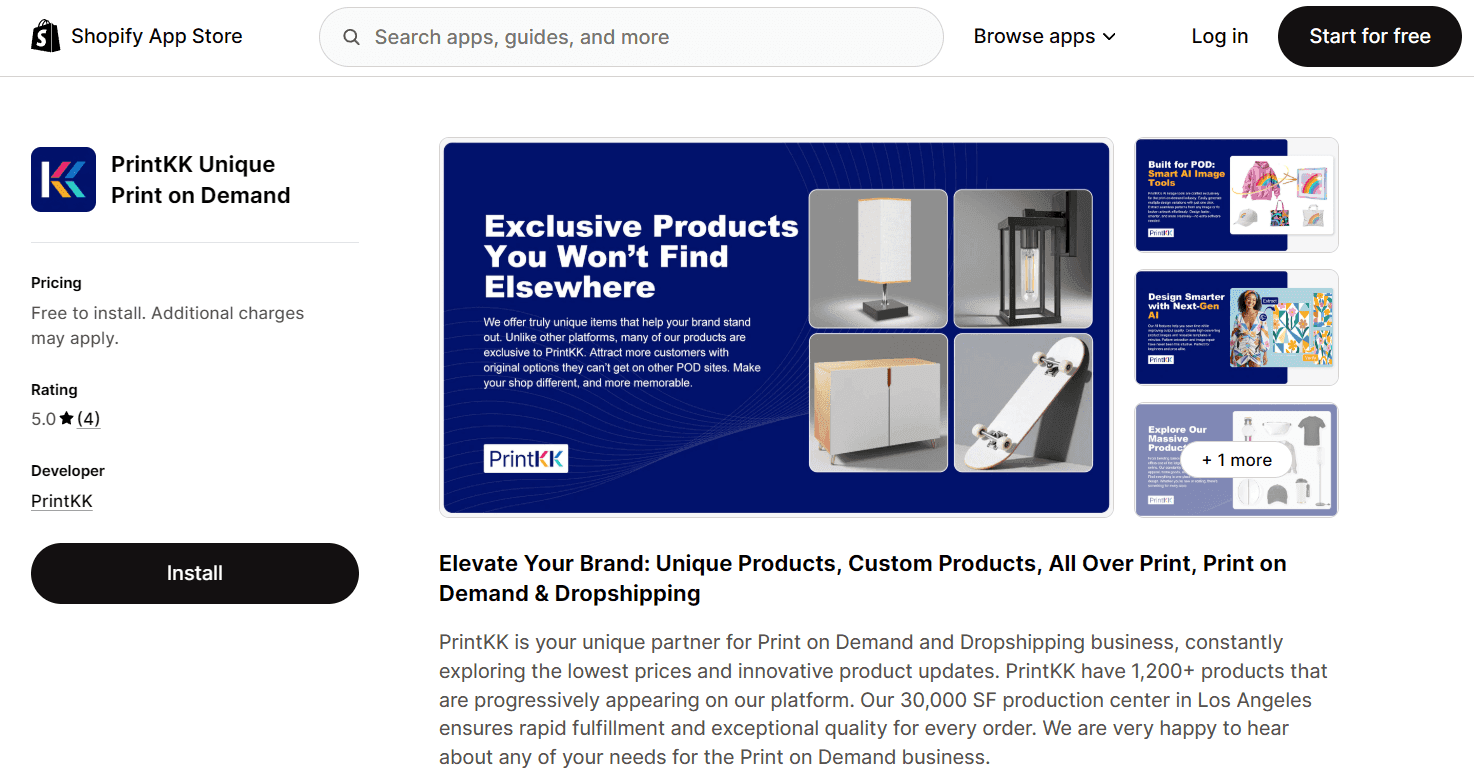
PrintKK is a print-on-demand partner built for brands that want products that feel premium rather than generic. Their catalog focuses on better materials, cleaner prints, and refined details that give your items a true brand-quality feel.
Its biggest strength lies in branding. You can add custom packaging and labels to elevate the unboxing experience. Orders sync directly with Shopify and fulfillment runs automatically, allowing merchants to test new products without holding inventory.
Purpose: Print-on-demand manufacturing and fulfillment
Use: PrintKK helps Shopify merchants launch high-quality custom products with flexible branding options. It’s ideal for stores that want to expand their product line while maintaining a polished, brand-driven customer experience.
8. miniOrange’s Shopify Single Sign-On (SSO)
Juggling logins across multiple Shopify stores can be frustrating for both employees and customers. With miniOrange’s Shopify Single Sign-On (SSO) solution, users sign in once to access all your Shopify Plus or Non-Plus stores, without needing repeated logins. Whether you're running legacy or customer accounts, the Shopify SSO application ensures a smooth authentication experience across your storefronts.
Key Features of miniOrange Shopify SSO:
- One-click login across multiple Shopify Plus & non-Plus stores (for legacy & customer accounts) & connected platforms
- Automatically create and update new users on Shopify with real-time provisioning
- Integration with identity providers (IdPs) like Okta, Microsoft Entra ID (Azure AD), Salesforce, Cognito, and more via secure protocols (SAML, OAuth, OIDC)
- Improved session management with Single Logout (SLO)
- Compatible with Hydrogen setups, mobile apps, and other modern Shopify storefronts.
Purpose - Secure login management & access control
Use - miniOrange’s Shopify SSO solution lets users (customers, employees, wholesale partners, etc.) access multiple Shopify stores and platforms using a single set of credentials. Great for reducing login fatigue and managing access across your Shopify ecosystem, from exclusive swag stores for employees to multi-region B2C stores.
9. Shopify Ship, Rate, and Track for FedEx
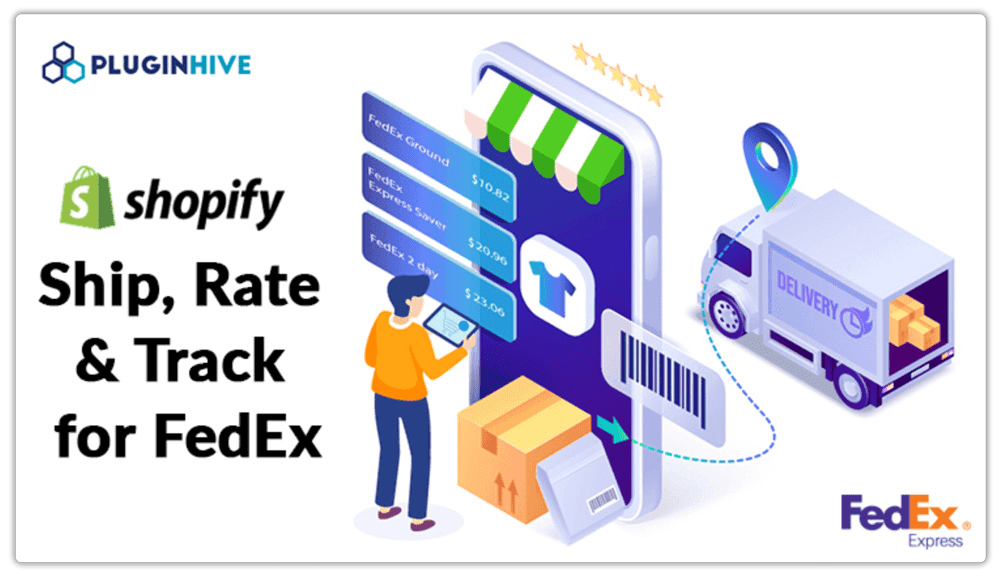
Shopify Ship, Rate, and Track for FedEx is a robust Shopify shipping solution that enables merchants to handle FedEx shipping seamlessly within their store. The app displays real-time FedEx shipping rates at checkout, enables quick label generation, and automatically updates tracking details, making order fulfillment faster and more accurate. Built for businesses of all sizes, it minimizes manual shipping tasks, reduces errors, and improves the overall post-purchase experience for customers using Shopify with FedEx.
Key features:
- Displays accurate FedEx delivery estimates at checkout to improve conversions
- Automatically generates tracking numbers and sends shipment notifications to customers
- Supports FedEx domestic, international, and freight shipping in a single integration
- Enables bulk label printing and bulk order fulfillment
- Allows customers to choose FedEx Hold at Location for flexible deliveries
- Schedules FedEx pickups directly from the Shopify admin
- Supports commercial invoices, ETD, insurance, and FedEx special services
Purpose: The app is designed to automate and simplify FedEx shipping within Shopify, enabling merchants to save time, reduce operational costs, and ensure reliable deliveries.
Use: It is used by Shopify merchants who ship with FedEx and want to streamline fulfillment, show accurate shipping rates at checkout, and deliver a smooth tracking experience to their customers.
10. Warnify: Communicate important information to customers
Warnify makes it easy to communicate with your customers through pop-ups. Announce low inventory, shipping delays, an upcoming store closure, and more through fully customizable pre-checkout pop-ups. Target certain countries, states, and provinces to choose which customers can view the pop-up.
Purpose: Store design
Use: Warnify lets you communicate important information to customers through customizable pre-checkout pop-ups. It's useful for announcing low inventory, shipping delays, or other critical updates.
11. Smile loyalty and reward: Boost customer retention
Smile is a loyalty program app that rewards customers for various actions to encourage repeat purchases. You can turn shoppers into loyal customers by rewarding them for purchases, referrals, account registrations, social shares, and social follows. Over ten engagement methods are available in the free plan.
Purpose: Loyalty program
Use: Smile allows you to reward customers for various actions, such as purchases, referrals, and social engagement. It's designed to increase customer loyalty and repeat purchases.
12. CrowdFunder: Manage crowdfunding campaigns
Crowdfunder is your one-stop shop for hosting and managing a crowdfunding campaign directly through your Shopify store. This app can manage pre-orders, product launches, and limited edition releases. Crowdfunder is also a great solution for nonprofits, making raising funds for causes and charities easy.
Purpose: Crowdfunding, store management
Use: CrowdFunder helps you manage crowdfunding campaigns directly through Shopify. It's useful for pre-orders, product launches, and fundraising for causes or charities.
13. Jebbit: Create Quizzes to Engage Customers
Jebbit helps you create beautiful quizzes that customers love to engage with. These match quizzes, also known as shoppable quizzes, can help people find the best-fit products in your store to move them along the customer journey, increasing conversions and sales. You can:
- Build product match quizzes
- Personality Quizzes
- Simple surveys
- Lead gen forms and more
Jebbit’s visual builder lets you quickly map out and build these experiences. With no-code design elements and omnichannel distribution, you can meet customers where they shop and provide personalized product recommendations that drive sales for your Shopify store.
Purpose: Quiz and survey builder
Use: Jebbit lets you create interactive quizzes to engage customers and guide them to the best products. These quizzes can boost conversions by providing personalized recommendations.
14. Order Legend for Google shopping: Automate Google ads for your products
Order Legend automatically promotes your products on Google. The app handles your:
- Google Merchant Centre
- Google Ad account
- Product feed syncs from Shopify
And we even use our money for ad spending. Merchants only pay a 12% commission for orders the app successfully generates. This app generates incremental orders and works in parallel with the DIY Google Channel App. Order Legend is a Google CSS partner that receives a 20% discount on bids, giving them more purchasing power than you have directly with Google.
Purpose: Advertising
Use: This app manages your Google Shopping campaigns, automatically promoting products on Google. It offers risk-free advertising, as merchants only pay a commission for successful orders.
15. PayWhirl: Manage subscription services with ease
PayWhirl makes it easy to create, manage, and sell subscriptions through Shopify’s native checkout. Customers can set up their accounts, see their billing history, and change their payment plans anytime. They can also add new payment methods and information associated with their subscription, all without contacting your support team.
Purpose: Subscription management
Use: PayWhirl allows you to create and manage subscription services through Shopify’s checkout. It gives customers control over their subscriptions, reducing the need for support intervention.
16. Top Quik: Add tipping option at checkout
Tip Quik gives customers the option to add a tip for workers before checkout. You can design a custom pop-up using Tip Quik, then install the snippet on your checkout page in minutes. Your employees will be happier with more cash in their pocket, and your customers will have the chance to express their gratitude—win-win for everyone.
Purpose: Tipping feature
Use: Tip Quik allows customers to add a tip for your workers before checkout. It's designed to boost employee satisfaction and provide a way for customers to show appreciation.
17. Plug in SEO: Optimize your store for search engines
Plug-in SEO is an SEO optimization tool for your Shopify store. The app helps improve your store's search engine visibility by fixing SEO issues, optimizing metadata, and monitoring your site's performance.
Purpose: SEO optimization
Use: Plug-in SEO helps optimize your Shopify store for search engines by fixing SEO issues, optimizing metadata, and monitoring site performance to improve visibility.
18. Quiz Kit: Drive sales with product recommendation quizzes
Quiz Kit lets you create custom-branded commerce quizzes. Learn more about your customers and offer tailored product recommendations in their quiz results. Each customer gets a personalized buying experience that can help drive conversions.
Purpose: Marketing and conversion
Use: Quiz Kit lets you create branded commerce quizzes. These quizzes help you learn more about your customers and provide tailored product recommendations, driving personalized shopping experiences and higher conversions.
19. Promo.com: Create videos to promote your products
Promo.com is a free Shopify app that helps you create product videos that drive sales for your store. Video creation requires little to no effort on your part. You just have to choose the type of video you need and the product you want to promote. Then, Promo.com will pull all existing images and videos on your website to create a promotional video for your business.
Purpose: Video creation
Use: Promo.com helps you create promotional videos for your store with minimal effort. It automatically uses existing images and videos from your store to create marketing content that drives sales.
20. Form Builder: Collect valuable customer information
Form Builder is a versatile form builder app to collect valuable customer feedback, inquiries, and lead information with customizable contact, survey, and registration forms.
Purpose: Form Creation
Use: Form Builder allows you to create customizable forms for collecting customer feedback, inquiries, and leads. It's a versatile tool for gathering information from your customers.
21. VF Image Optimizer: Optimize your store’s images
VF Image Optimizer is your go-to app for all things image optimization. Using AI, this app automatically:
- Trims crops
- Resizes
- Frames images
You can also use it to apply watermarks and alt text to your images, making SEO a breeze.
Purpose: Image optimization
Use: VF Image Optimizer automatically optimizes images on your store, improving loading times and SEO. It also offers features like watermarking and alt text generation.
22. EasyShip: Simplify your shipping process
Easyship is an all-in-one shipping app that helps you reach customers worldwide with lower shipping costs and higher conversion rates. Over 100,000 retailers use Easyship to save time and money for their delivery services.
Using Easyship gives you access to pre-negotiated shipping solutions from couriers worldwide through a single account. It also provides an intuitive dashboard to manage orders, including printing shipping labels, storing product dimensions, accessing invoices and receipts, generating return orders, and more.
Purpose: Shipping management
Use: EasyShip provides an all-in-one solution for managing shipping. It offers pre-negotiated shipping rates, order management, label printing, and global shipping solutions to save time and money.
23. PreOrder Alpha: Manage pre-orders with ease
Pre-Order Alpha provides a fast and flexible way to sell pre-order, out-of-stock, and coming-to-on products in your store. Using Pre-Order Alpha, you can highlight pre-order products with customized ribbons, add Pre-Order Now buttons to your product page, and automatically tag pre-order items in your admin to stay organized and keep track of everything. Setup takes five minutes, and an excellent technical support team will help you.
Purpose: Pre-order management
Use: PreOrder Alpha lets you sell out-of-stock products or coming soon. It allows for customized pre-order buttons and tagging, helping you manage and track pre-order sales efficiently.
24. Alia: Email and SMS popups
Alia is a popup that converts more shoppers than traditional popups by rewarding them for learning about what makes your brand special. Alia allows you to engage and convert new visitors with interactive content about your products, brand, story, and more. As visitors learn more, they can get larger rewards and be subscribed to your email and SMS lists. Customize Alia to match your brand, target new visitors, and ask survey questions to collect data.
Purpose: Popups
Use: Alia allows you to grow your lists by collecting customer emails, phone numbers, and survey data. You can also reward shoppers with customizable discounts, free shipping, and custom rewards.
Related Reading
Which Shopify niche is the best?

Health and wellness: A booming Shopify niche
The health and wellness market is making noise. Interest in self-care and positive lifestyle changes is rising. Products that improve mental and physical health are trending in eCommerce and social media. In 2020 the wellness market was valued at $4.37 trillion and is predicted to grow to almost $7 trillion by 2025. It’s worth a shot to get into this niche now more than ever. Here are some top-selling products under this category:
- Hydration trackers
- Posture correctors
- Portable air purifiers
- Snore-reducing devices
- Compression socks
- Electric pulse massagers
- First aid kits
- Red light therapy devices
Home decor: A Shopify niche that stands the test of time
Home is where the heart is, so the home decor niche is lucrative. Home decor is consistently high on trending searches, showing its stable position in the market.
People are constantly changing their home interiors or personalizing whatever space they consider home. As long as we provide quality products, we will have customers returning. If this is a niche we want to get into, here are some products we can have on our Shopify storefront:
- Minimalist wall art
- Artificial succulents
- Bohemian-style tapestries
- Macrame wall hangings
- Rustic farmhouse-style wall signs
- Geometric-patterned rugs
- Himalayan salt lamps
Fashion and clothing: A trendy Shopify niche with sure buyers
Fashion and clothing are another niche that never goes out of style – pun intended. The global eCommerce fashion industry reached a market value of $821 billion in 2023 alone. By 2027, it’s projected to make over $1.2 trillion.
Fashion and clothing are ideal choices for getting into a niche with sure buyers. Fashion is a big industry, but there are still many ways for us to niche down and stand out with unique and quality products. Here are some of the top sellers in this category:
- Oversized sweatshirts
- High-waisted leggings
- Matching loungewear sets
- Graphic tees
- Bohemian-style maxi dresses
- Tie-dye activewear
- Vintage-style sunglasses
- Leather crossbody bags
- Chunky platform sneakers
Beauty and cosmetics: A Shopify niche with huge profit potential
Beauty and cosmetics are hugely profitable industries. As of right now, it’s predicted
eCommerce sales in this industry will reach roughly $449.6 billion by 2027. This is perhaps one of the more visibly seen trending niches on social media.
With influencers on almost every platform, it’s easy to find sellable or viral products we can add to our store to increase sales. Here are just a few examples of trending beauty and cosmetics products:
- Liquid matte bold color lipsticks
- Magnetic Eyelashes
- Charcoal face masks
- Silicone facial cleansing brushes
- LED light therapy masks
- Nail polish strips
- Multipurpose makeup palettes
Pet supplies: A Shopify niche you can’t go wrong with
Pet supplies are an undeniably lucrative niche for dropshipping. By focusing on this niche, we cater to an already existing and steadily growing market that consistently needs our products. It’s reasonable to say that pet owners love to spoil their pets with toys and treats.
Pets have essential needs that owners need to restock consistently. If we have the right products in our store, we will have a growing number of repeat customers. Here are some products to consider if we’re looking to specialize in the pet supplies industry:
- Self-cleaning cat litter boxes
- Interactive puzzle toys for dogs and cats
- Elevated pet beds
- Pet cameras
- Slow feeder bowls
- Pet grooming gloves
- GPS pet trackers
- Pet carrier backpacks
- Collapsible silicone pet bowls
Baby products: A Shopify niche that will always be in demand
Baby products cover everything from:
- Food
- Toys
- Supplies
- Toiletries
Just to name a few. There are thousands of babies being born every day worldwide. That means there will always be a market to serve in this niche. If we want to become a reliable store in this category, we need to focus on the quality and safety of our products. With that in mind, here are some select products in this niche:
- Nursing covers
- Breastfeeding pillows
- Silicone bibs
- Waterproof diaper backpacks
- Baby milestone photo props
- White noise baby devices
- Teething toys
- Soft play mats
- Portable baby bottle warmers
- Diaper bag organizers
Travel accessories and gear: A Shopify niche on the rise
Next on our list of top-selling Shopify niches are travel accessories and gear. The travel market has been consistently booming after extended travel restrictions during the pandemic.
More people are traveling both for leisure and business. That said, travelers are also equipping themselves for trips, which is why selling travel-related goods is profitable. Here are a few examples of products under this niche:
- Travel neck pillows
- Travel luggage packing cubes
- Compact travel umbrellas
- RFID blocking wallets
- Portable travel-size toiletry bags
- Reusable water bottles
- Universal travel adapters
- Travel-sized first-aid kits
What are some of the most successful stores on Shopify?

Allbirds: A sustainable shoe store with a mission
Location: United States (California) Estimated Revenue: $254+ million Allbirds is an eco-friendly shoe store with a clear mission: to sell the most comfortable shoes in the world. This top Shopify store makes its sustainable products and practices known from the moment you land on its website. For example, the homepage features a Sustainability section with information on the brand’s eco-friendly materials. If you visit product pages on this top Shopify store, you’ll also see messages about the environmental impact of every item. Everything points out that Allbirds' very identity is based on eco-friendliness.
Asphalte: A pre-order clothing store that reduces waste
Location: France (Bordeaux) Estimated Revenue: $3 million Asphalte's unique business model focuses on pre-ordering clothing to reduce waste. Before the first stitch is sewn, the brand spends weeks asking customers and website visitors what they want to wear through a survey. The feedback is then used to manufacture and release clothes through pre-order campaigns—no waste. Another great thing is the elegant design. This top Shopify store has unique product photography—the big photos on the homepage set the tone for the rest of the store. The design is elegant and modern, perfectly complementing the photography. One exciting marketing tool that Asphalte uses is onsite notifications—a social media-like feed on a website. It helps to announce products and share discounts in an entirely new way.
Taylor Stitch: A hybrid Shopify store for men’s clothing
Location: United States (California) Estimated Revenue: $5 – $7 million This Shopify store sells classic men’s clothing with a modern perspective. When you land on its homepage, the website immediately feels cool, almost like a high-end retail store. Every detail, especially product photography, contributes to the vintage feel. Behind the scenes, Taylor Stitch is run according to a hybrid business model. The founders say they have essential products in stock, and the rest (over 90% of products) are crowdfunded. Thanks to this model, the company minimizes waste and overhead costs.
The Elder Statesman: A luxurious Shopify store
Location: United States (California) Estimated Revenue: $11 million This top Shopify store's story began when Greg Chait turned his interest in high-quality craftsmanship into a business. We don’t call our factory a factory; we call it an arts and crafts facility because that’s what it is, Chait says about his brand. We can say the same about his successful Shopify store, which now earns $11 million despite receiving only $1 million of initial funding.
Gym Shark: An influencer marketing success story
Location: United States Estimated Revenue: $556 million Gymshark began as a company selling workout clothes sewn and printed by Ben Francis, the founder, and a team of friends. Now, it’s one of the most successful Shopify stores in the fitness clothing industry. Gymshark was an early adopter of the influencer marketing model. From the very beginning, they’ve been investing in building a big social media presence. One notable collaboration was a workout video with Ross Edgley, the first person to swim around the entire 1780-mile coast of Great Britain.
Bombas: A colorful Shopify store with a mission
Location: United States (New York) Estimated Revenue: $20+ million If you’re looking for inspiration for designing a colorful Shopify store, check out Bombas. This excellent Shopify Plus website has a:
- Vibrant color palette
- Clear navigation
- Plenty of engagement opportunities for visitors.
Their homepage provides easy access to four main product categories. The banner One purchased = one donated just below the product menu hints that Bombas is a brand that helps those in need. Scroll down on the homepage, and you’ll see that the company donated 50+ million items!
Related Reading
- Custom Shopify Themes
Optimize your Shopify store for conversions without breaking the bank with Instant's Shopify Landing page builder
Instant is a user-friendly Shopify landing page builder that allows eCommerce teams and agencies to create fully customizable and advanced pages without any coding knowledge. With its intuitive drag-and-drop interface, users can quickly design and publish:
- High-converting landing pages
- Product detail pages
- Sections, all while maintaining complete control over their store's design
Instant also offers seamless integration with Figma and other eCommerce tools, making it a versatile choice for enhancing online store performance and increasing conversions.
Transform your store’s performance with Instant. Try Instant's Shopify landing page builder today!