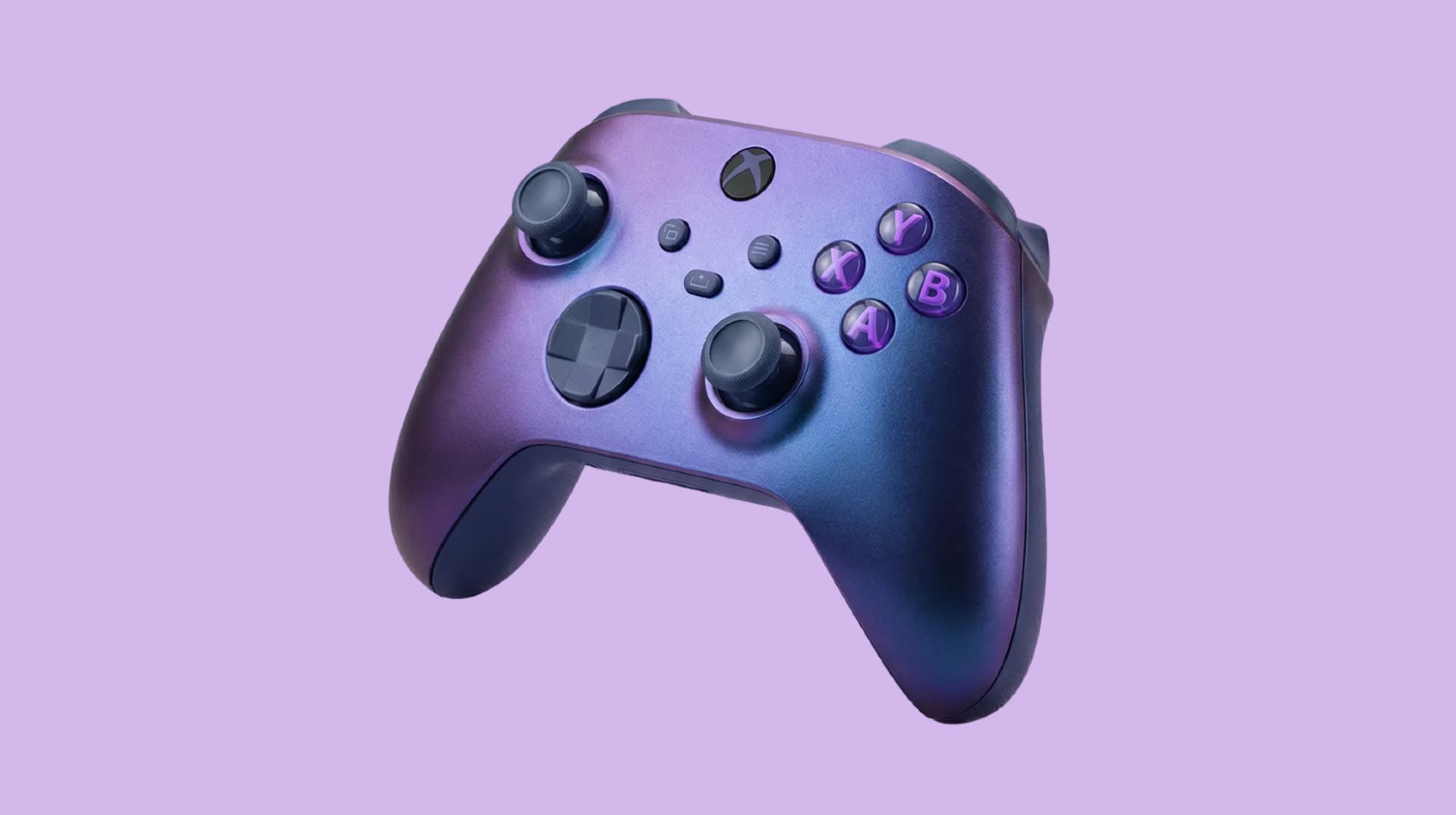
AI product photography is not just a gimmick or experimental technology anymore. In 2026, it's a legitimate, proven tool used by thousands of eCommerce businesses, from small Shopify sellers to major brands.
What AI product photography does:
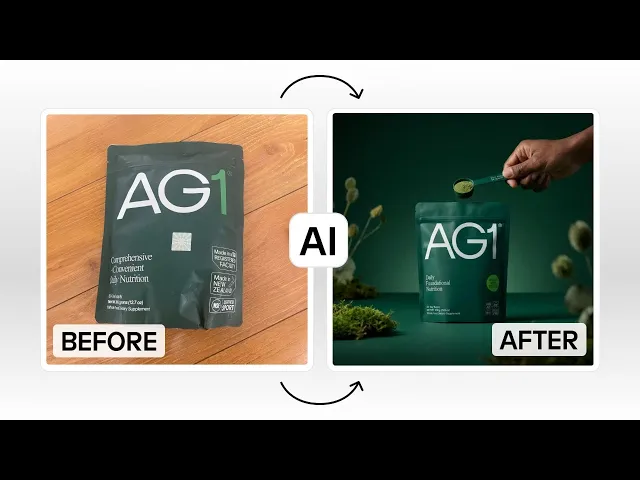
Takes your basic product photo
Removes the background
Places your product in professional scenes or on AI-generated models
Creates lifestyle imagery without expensive photoshoots
Generates multiple variations in minutes
Like any tool, AI product photography works best when you understand what it can do, what it can't do, and when to use it. In this guide, we'll answer the most common questions and concerns about using AI for product photography, so you can make an informed decision for your business.
When should you use AI vs. traditional photography?
Not everything needs AI. Here's a practical framework for deciding:
Use AI product photography when:
You have a large product catalog (50+ SKUs)
You launch new products frequently (monthly or more)
You need lifestyle variations (same product, multiple contexts)
Your budget is limited (under $5,000 for photography)
You need images quickly (launching in days, not weeks)
You want to A/B test different backgrounds and styles
You're selling fashion/apparel (AI avatars are game-changing)
You need seasonal variations (holiday, summer, back-to-school, etc.)
Use traditional photography when:
Creating hero brand images for the homepage or campaigns
Shooting brand storytelling content (behind-the-scenes, team, process)
Working with luxury products where authenticity is paramount
Products have complex details requiring extreme close-ups
The hybrid approach (Recommended):
Most successful eCommerce brands use both. For example, you could use:
AI for volume: 80-90% of product images (catalog, lifestyle, variations)
Traditional for impact: 10-20% of images (hero shots, brand storytelling)
This gives you the efficiency and cost savings of AI while maintaining the premium quality where it matters most.
Top FAQs about AI product photography
What if AI makes a mistake or creates something weird?
It happens. AI isn't perfect. You might see:
Distorted proportions
Unnatural shadows
Floating products
Weird artifacts
Colors that don't match
That’s why it is important to review your images before publishing. If something looks off, regenerate with different settings or adjust manually. With Instant Studio, you can adjust and refine images until they meet your standards using the "Edit with AI" feature.
Won't everyone's photos look the same if we're all using AI?
Not if you use it thoughtfully. AI gives you tools, that you can use to:
Choose backgrounds that match your brand aesthetic
Customize settings for your style
Create unique combinations
Use your own creative direction
Just like two photographers using the same camera will create different images, two brands using AI will create different results based on their choices.
Instant Studio offers: Pre-made backgrounds plus the ability to build custom avatars, ensuring your images reflect your unique brand identity.
Will my images look fake or AI-generated?
Only if you want them to, or if you don't follow best practices.
High-quality AI product photography is indistinguishable from traditional photography when done correctly. The key is using a good tool, selecting good source images, and making realistic choices.
What makes AI photos look fake:
Using low-quality source images
Unrealistic backgrounds or scenes
Products that are the wrong size for their environment
Lighting that doesn't match the scene
Over-saturated colors
Obvious AI artifacts (distortions, weird shadows)
What makes AI photos look professional:
Starting with clear, well-lit product photos
Choosing realistic scenes and backgrounds
Paying attention to scale and proportion
Keeping lighting natural
Subtle editing and adjustments
That’s also why it is important to use a tool like Instant AI studio that creates realistic and authentic-looking AI images.
Is the quality good enough for professional use?
Yes, for most eCommerce needs. AI product photography in 2026 has reached a level of quality that rivals traditional photography for catalog images, lifestyle shots, and variations.
Where AI excels:
Catalog product images (80% of your product page)
Lifestyle variations showing products in different contexts
A/B testing different backgrounds and styles
Seasonal variations
Quick product launches
Products on AI avatar models (fashion/apparel)
Where traditional photography still has an edge:
Hero brand images for homepage
High-touch luxury product campaigns
Extreme close-ups requiring perfect detail
Brand storytelling photography
Do I need photography or design skills?
No. AI product photography is designed for people who aren't photographers or designers. If you can take a smartphone photo and click a button, you can create professional product images.
What you don't need:
Professional camera equipment
Photography training
Design software experience
Lighting knowledge
Photo editing skills
What you do need:
A smartphone or basic camera
Ability to take a clear photo of your product
A few minutes to learn the platform
Basic aesthetic judgment (which background looks better)
Tools like Instant Studio are built specifically for eCommerce sellers, not professional photographers. The interface is simple, and you can create your first image in under 5 minutes.
Here's how it works:
How much does it cost compared to traditional photography?
AI is dramatically cheaper, often 95% less expensive.
Traditional product photography costs:
Professional photographer: $50-$500+ per product
Studio rental (if not included): $100-$500/day
Props and styling: $50-$200+
Photo editing: $10-$50 per image
Total for 50 products: $5,000-$25,000+
AI product photography costs:
Instant Studio: Included with paid Instant AI Page Builder subscription + credit packages
Per-image cost: Credits per generation
No photographer, studio, or props needed
Editing is included in the process
Total for 50 products: Hundreds, not thousands
ROI example: If you launch 5-10 new products per month, AI photography pays for itself in the first month by eliminating ongoing photography costs.
Will customers trust AI-generated images?
Yes, if the images accurately represent your product.
Customer trust comes from accurate representation, not from how the image was created. What matters is:
Product looks like the real thing: Colors, size, and details are accurate
Clear, high-quality images: Not blurry, pixelated, or distorted
Multiple angles shown: Customers can see the product thoroughly
Realistic context: Product in believable, relatable scenes
What hurts trust:
Images that misrepresent the product
Poor quality or obviously fake images
Inconsistent imagery across products
Products that look different when they arrive
The key: Use AI to create better images, not misleading ones. If your lavender candle is purple in real life, make sure it's purple in the AI image.
What about products with models? Can AI do that?
Yes, and this is where Instant AI Studio really shines.
Creating product photos with models traditionally requires:
Model casting and booking ($500-$2,000+ per day)
Hair and makeup ($200-$500)
Styling and wardrobe coordination
Studio time and a photographer
Multiple models for diversity representation
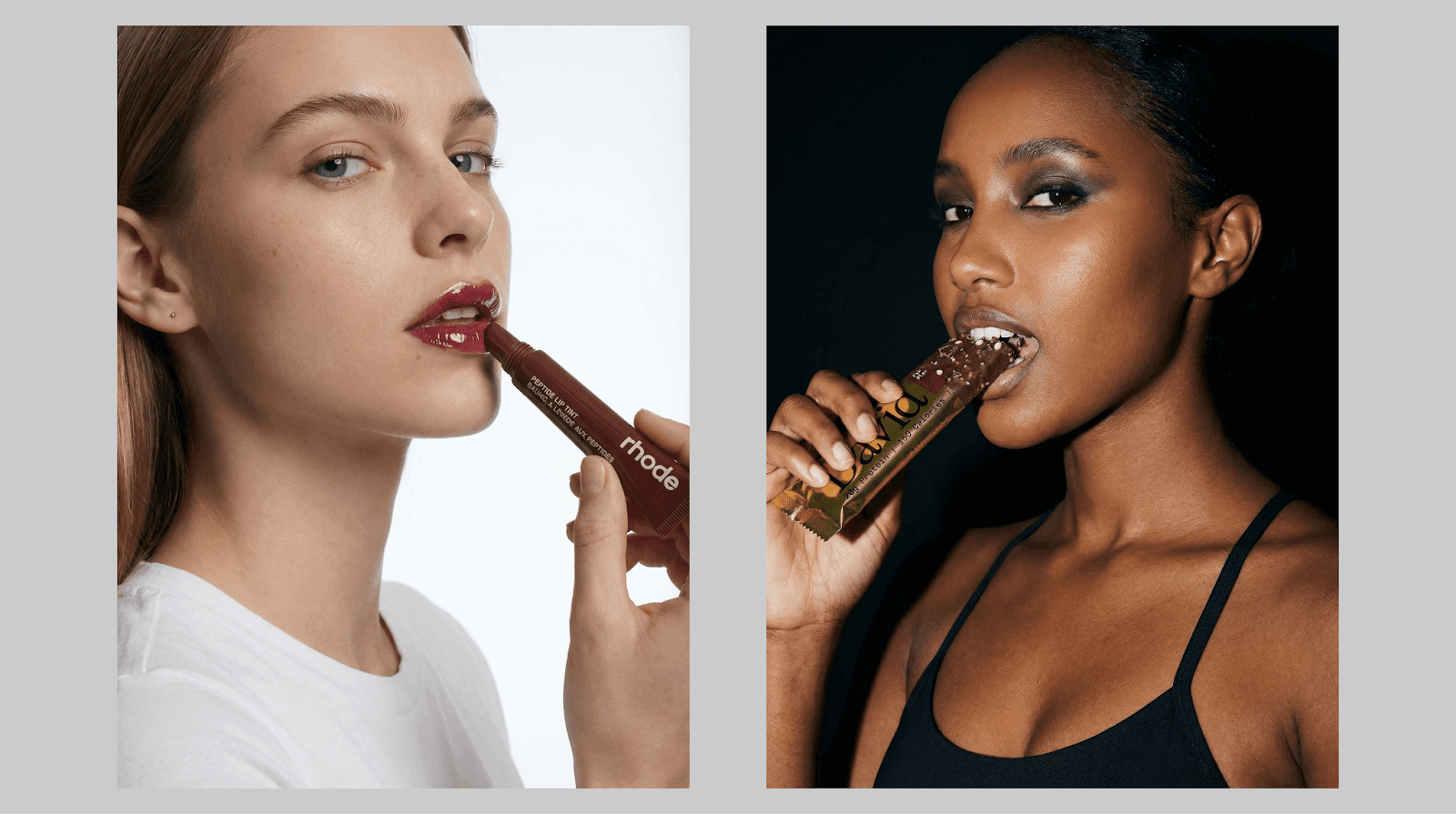
With AI avatars (like in Instant Studio):
Choose from dozens of pre-made AI avatars (diverse ethnicities, body types, ages)
Or build custom avatars from scratch
Adjust hair, makeup, and pose
Place your product on the model
Generate multiple versions with different models
Total cost: Credits per generation
Perfect for:
Fashion and apparel (show how clothes fit)
Jewelry and accessories (on-model shots)
Footwear (styled with outfits)
Beauty products (in-use scenarios)
Example: An apparel brand can show the same shirt on 5 different models (different body types, ethnicities, ages) without a single photoshoot. This creates more inclusive representation and helps diverse customers envision themselves in your products.
How to get started with AI product photography
If you're convinced AI product photography is worth trying, here's how to start:
Step 1: Start small
Don't transform your entire catalog overnight.
Smart approach:
Choose 5-10 products to test
Create AI images for these products
Compare with your current images
Measure results (conversion rate, time on page, sales)
If results are positive, expand
Step 2: Choose the right tool
Look for AI product photography tools that:
Are built for eCommerce (not general AI art tools)
Offer realistic, professional results
Include commercial usage rights
Have Shopify integration (if you use Shopify)
Provide both packshots and avatar models
Instant Studio checks all these boxes, built specifically for eCommerce sellers with Shopify integration and the ability to create both packshot backgrounds and lifestyle images with AI avatar models.
Step 3: Learn best practices
Start with clear, well-lit product photos
Choose realistic backgrounds and scenes
Keep editing subtle and natural
Always review before publishing
Test different styles with your audience
Step 4: Measure results
Track these metrics:
Conversion rate per product
Time spent on product pages
Add-to-cart rate
Customer questions about products
Return rates
Let data guide your decisions about which products and styles work best with AI imagery.
Should you use AI for product photography?
There’s no right or wrong answer to this question, but in general:
Yes, if:
You want to save money on product photography (thousands of dollars)
You need to create images quickly (days instead of weeks)
You have many products or launch products frequently
You want to test different styles and backgrounds
You sell fashion/apparel and need model shots
You want to scale your visual content without scaling costs
Maybe not yet, if:
You're a luxury brand where 100% traditional photography is part of the brand identity
You have fewer than 10 products and perfect existing photos
You have an unlimited photography budget and prefer the traditional process
Your products are highly complex (extreme transparency, intricate details)
For most eCommerce sellers, AI product photography is a no-brainer. The cost savings, speed, and flexibility far outweigh any drawbacks, especially when combined with traditional photography for hero moments.
Ready to see what AI can do for your products?
The best way to answer "Can I use AI for product photography?" is to try it yourself. Instant Studio makes it easy; it's built directly into Instant AI Page Builder specifically for Shopify sellers like you.
Whether you need packshots with professional backgrounds or lifestyle images with AI avatar models, you can create both in minutes. Choose from dozens of diverse pre-made avatars or build custom ones from scratch, then adjust everything from hair and makeup to pose and styling. Studio credits are included with your Instant subscription, and because it's integrated with Shopify, you can create images and use them directly in your store designs without juggling multiple platforms.
Here's the reality: traditional product photography costs $500+ per product and takes weeks. Model photoshoots run $2,000+ and require casting, scheduling, and coordination. With Instant Studio, you get professional results in minutes for a fraction of the cost, and you can create unlimited variations for testing different backgrounds, seasons, and styles.
Create your first AI product photo with Instant Studio today.