Shopify theme development has traditionally required professional developers with deep knowledge of Liquid templating, JavaScript, and CSS. But Cursor AI is changing the game, enabling store owners and designers to build custom features and modify themes without years of coding experience.
In this guide, you'll learn what Cursor AI is, why it's valuable for Shopify development, and how to get started with practical resources to help you begin customizing your store today.
What is Cursor AI?
Cursor AI is an AI-powered code editor built on Visual Studio Code that brings intelligent assistance directly into your development environment. Think of it as having an expert developer available 24/7 to help you write, debug, and optimize your code.
Key features
Natural Language Coding: Describe what you want in plain English, and Cursor generates the code for you.
Context-Aware Assistance: Cursor understands your entire codebase, not just individual files, making intelligent suggestions based on your theme's structure.
Multiple AI Modes: Ask questions about your code, create task plans for complex projects, or let the AI agent autonomously write and modify code.
Integrated Development: Work with built-in terminal support, Git integration, and real-time preview capabilities.
Why use Cursor for Shopify?
Traditional Shopify development faces several challenges:
Limited built-in editor: Shopify's code editor lacks advanced search, can lose changes on undo, and doesn't understand relationships between files
High developer costs: Professional developers charge $50-150+ per hour for customizations
Long wait times: Getting on a developer's schedule can delay your business needs
Technical barrier: Learning to code takes hundreds of hours
Cursor AI dramatically lowers these barriers, enabling you to:
Build custom sections in minutes instead of hours
Modify existing features without deep coding knowledge
Test changes locally before going live
Reduce development costs by 80-90%
The Power of MCP integration
One of Cursor's most powerful features for Shopify development is MCP (Model Context Protocol) server integration. This gives Cursor direct access to Shopify's official documentation, resulting in dramatically better code quality.
What difference does MCP make?
Without MCP, Cursor might generate code based on general knowledge, potentially using outdated syntax or non-existent API fields. With MCP connected to Shopify's documentation, Cursor can:
Generate accurate GraphQL queries that work the first time
Reference current Shopify API standards
Suggest code that follows Shopify best practices
Drastically reduce debugging time
Tasks that used to take 3 hours of debugging and documentation searching can be completed in 15 minutes with MCP integration.
Getting started: Setup overview
To use Cursor AI with Shopify, you'll need to set up a local development environment. This involves:
Shopify CLI - Command-line tool for syncing with your store
Git and GitHub - Version control for your theme
Cursor AI - The AI-powered editor
MCP Configuration - Connect Cursor to Shopify's documentation
Detailed setup tutorials
Rather than duplicate existing excellent tutorials, here are the best resources for each setup step:
For Complete Local Development Setup (Shopify CLI, Cursor installation, and basic workflow):

Comprehensive video covering installation on Mac/Windows, connecting to Shopify, and creating your first custom section
For MCP Server Integration (the key to better code quality):

Quick tutorial showing the dramatic difference MCP makes, with before/after examples
For GitHub Integration and Advanced Workflows:
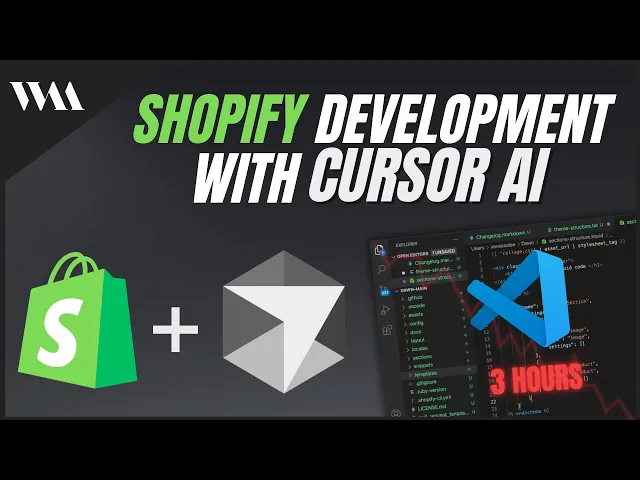
Covers Git setup, GitHub connection, and practical prompting techniques from an experienced Shopify developer
These tutorials walk through the entire process step-by-step, showing exactly what to click, what commands to run, and how to verify everything is working correctly.
What you can build with Cursor
Once set up, Cursor enables you to create a wide range of customizations that would typically require a developer.
Custom sections
Create entirely new sections for your theme:
FAQ sections with collapsible questions
Custom testimonial sliders
Product comparison tables
Advanced newsletter signup forms
Gallery sections with custom layouts
Cursor generates the complete Liquid file with HTML, CSS, JavaScript, and Shopify schema, ready to use.
Modifying existing features
Extend your theme's built-in features:
Add speed controls to marquee sections
Customize product page layouts
Add variant-specific content
Modify cart functionality
Enhance search capabilities
Product customization
Build features for personalized products:
File upload for custom images
Text input for personalization
Preview functionality
Option-based customization
This is particularly valuable for stores selling customized products like personalized gifts, print-on-demand items, or made-to-order goods.
Understanding AI modes in Cursor
Cursor offers three ways to interact with AI:
Ask Mode: Great for questions and understanding your code.
"How does this section work?"
"Where is the product price calculated?"
"Explain what this JavaScript function does"
Plan Mode: Creates detailed checklists for complex multi-step projects.
Useful for features requiring changes across multiple files
Helps break down large tasks
Agent Mode: The workhorse for actual development.
Autonomously writes and modifies code
Use this for building and modifying features
Always review changes before committing
Start with Ask to understand, then switch to Agent to implement.
Realistic expectations with Cursor
Here are some guidelines on what to expect when building for Shopify with Cursor.
What Cursor does well
Generate boilerplate code quickly
Modify existing features efficiently
Create standard sections (FAQs, testimonials, etc.)
Debug common errors
Explain complex code
What Cursor struggles with
Highly complex, novel features
Perfect design from vague descriptions
Understanding nuanced business logic
Getting everything right on the first attempt
The expected learning curve
Cursor dramatically lowers the barrier to entry, but there's still learning involved:
Understanding Shopify's theme structure
Basic familiarity with Liquid, JavaScript, and CSS
Learning to test and debug
Developing effective prompting skills
Expect to invest 10-20 hours learning before you're productive, far less than the hundreds of hours required to become a traditional developer.
Cost considerations
Cursor Pricing
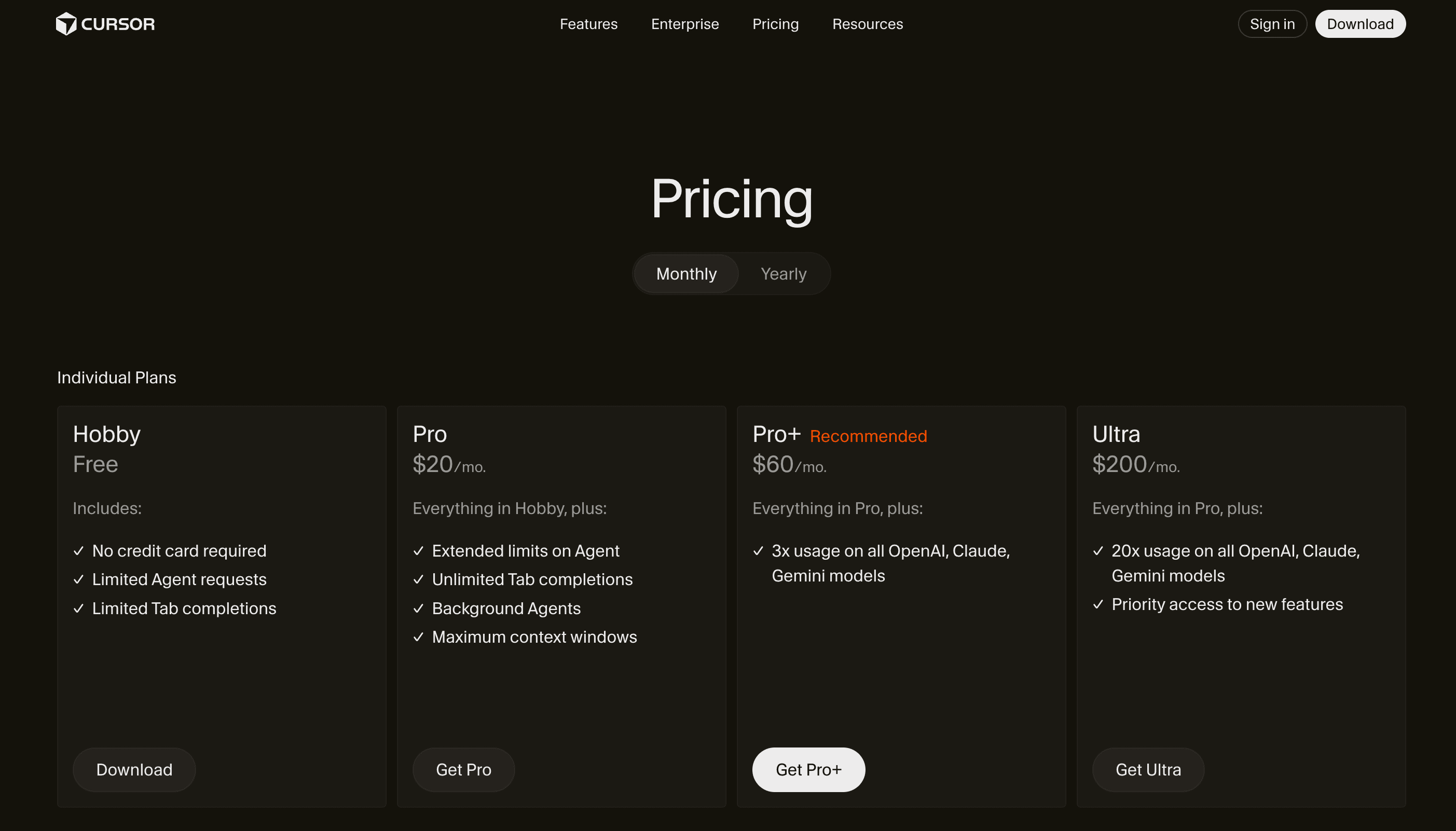
Free Tier: Limited AI requests, good for learning
Pro Tier: $20/month for more requests
Pro+ Tier: $60/month with more OpenAI, Claude, and Gemini models
Business Tier: Team features and higher limits
Getting started checklist
Ready to begin? Follow these steps:
Watch the setup tutorials: Follow the video guides linked above to install Shopify CLI and Cursor
Connect MCP integration: This is crucial for good code quality
Download your theme: Set up local development
Start small: Begin with a simple modification
Build gradually: Tackle more complex projects as you gain confidence
Conclusion
Cursor AI represents a fundamental shift in Shopify theme development. By combining AI-powered code generation with local development workflows, it enables store owners to build custom features without hiring developers, iterate rapidly, and maintain control over their store's codebase.
The key to success is approaching Cursor as a tool that augments your capabilities, not replaces learning entirely. Invest time in the setup, practice with simple projects, and build your skills incrementally.
Whether you're a store owner looking to customize your site, a designer wanting to bring your visions to life, or an aspiring developer accelerating your learning, Cursor AI provides a powerful path forward.
Start with the tutorial videos linked above, set up your environment, and begin building. With Cursor AI, custom Shopify development is more accessible than ever before.