Shopify product bundles
for bigger orders
Offer bundles, quantity breaks, Buy X Get Y deals and build-your-own bundle builders, designed on a visual canvas and published straight to your Shopify theme. No code.
Every kind of bundle, one builder
A Shopify product bundle is a set of two or more products sold together, usually at a discount, so shoppers buy more in a single order. Shopify's free Bundles app creates fixed bundles, and your theme decides how they look. Instant lets you design bundle offers, quantity breaks and build-your-own bundle builders on a visual canvas and publish them to your product pages, landing pages and cart.
Bundles in the buy box
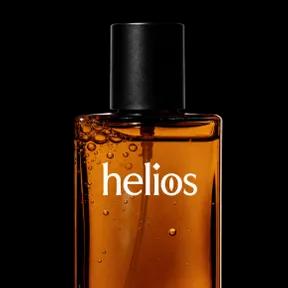
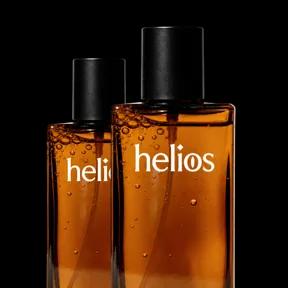
Show single, double and multi-pack options right in the buy box, with the savings for each one, so the bigger order is the obvious choice.
Build-your-own bundle builder
Let shoppers put together their own bundle step by step, at a bundle price you set, as a full page or embedded in a product page.
Quantity breaks and volume discounts
Reward shoppers for buying more of the same product with tiered discounts, and highlight the tier you want them to pick.
Buy X Get Y offers
Give a free or discounted item when shoppers buy a set number of products, and show the deal unlocking as they add to the order.
Bundles wherever shoppers buy
Bundle landing pages
Send ad traffic to a page built around one bundle offer, with the buy box, reviews and comparisons on a single page.
Subscribe and save
Combine bundles with subscriptions in the same buy box, compatible with every subscription app on the Shopify Subscriptions API.
Works with your bundle app
Already use Shopify Bundles or Kaching Bundles? Drag their offers into your Instant layouts and style them to match your store.
A/B test your offers
Test bundle sizes, discounts and layouts natively in Shopify, and keep the offer that earns more per visitor.

How to create product bundles on Shopify
From single products to bundle offers that raise your average order value, in 3 steps.
Step 1: Install Instant
Add Instant from the Shopify App Store and connect your store. Designing and previewing bundles is free.
Step 2: Design your bundle
Pick a bundle offer, quantity breaks or a bundle builder, connect your products and style it to match your brand.
Step 3: Publish to your store
Publish the bundle to a product page, landing page or your cart, and test it against your current offer.
Everything your store needs, built into Instant
- Page builderBuild any Shopify page with AI, no code.
- Landing pagesCampaign pages that match every ad.
- Product pagesBuy boxes, bundles and subscriptions.
- Collection pagesGrids, filters and featured products.
- Cart drawerUpsells, rewards and a free-shipping bar.
- Product bundlesBundle builders that raise order value.
- Header & footerNavigation, mega menus and footers.
- A/B testingTest pages natively and keep the winner.
- SectionsCustom sections for any theme page.
- Blog pagesBlog posts and listicles that sell.
Shopify product bundles FAQ
A product bundle is a group of two or more products sold together, usually for less than buying each one on its own. Bundles raise average order value and help shoppers discover products that go together, such as a skincare routine or a starter kit.